Basis-Paket | Reporting a Cash Register Downtime After 48 Hours

Table of Contents
If you ever find yourself in the unfortunate situation where your cash register is down for more than 48 hours during ongoing operations, you must report the downtime and then continue working with pen, paper, and carbon copy forms.
Here’s what you need to do and where.
Report the Downtime on FinanzOnline.at
Follow these steps on FinanzOnline.at:
- Log in to www.FinanzOnline.at with your user credentials.
- In the navigation menu, go to "Eingaben" (Inputs) > “Registrierkassen” (Cash Registers).
-
Then select "Ausfall und Außerbetriebnahme einer Registrierkasse" (Report downtime or decommissioning of a cash register) in the "Registrierkassen" box.
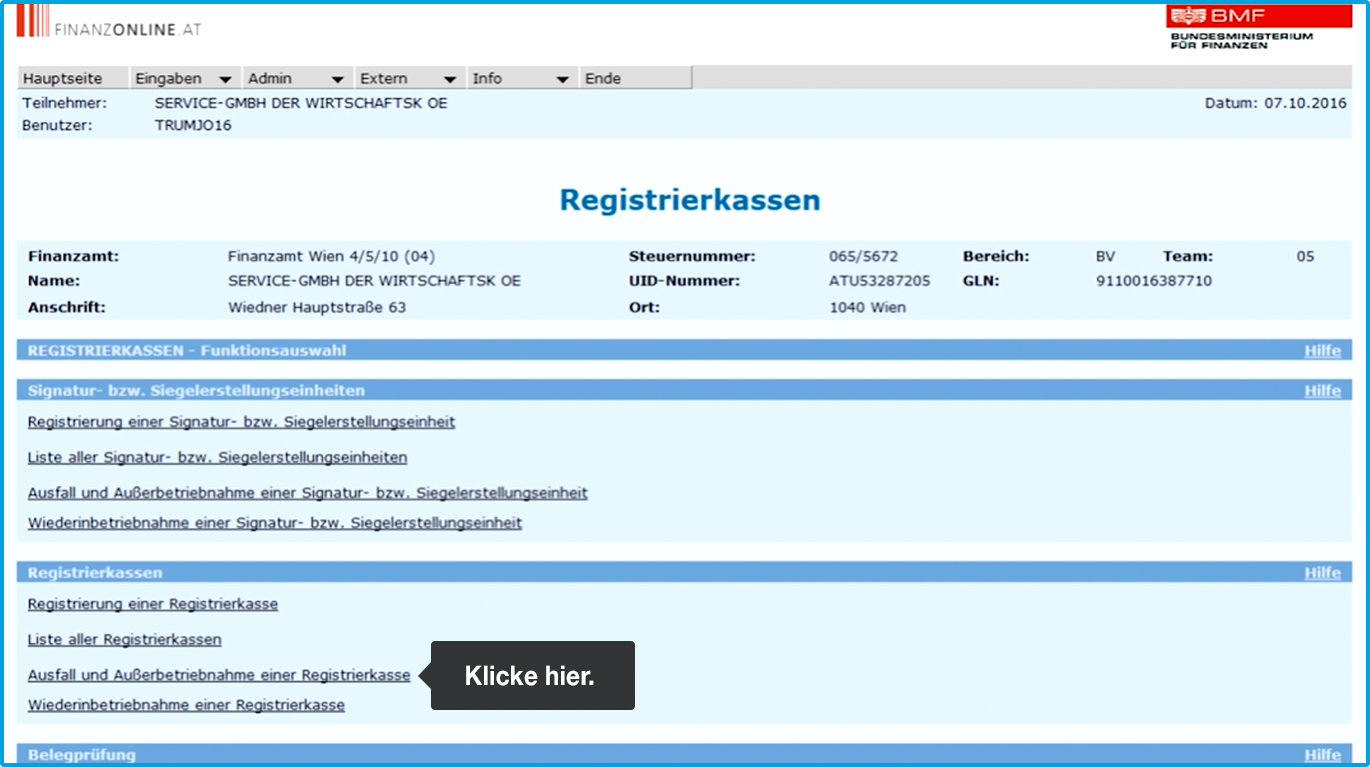 (Note: If you have multiple cash registers, you’ll now see a list from which you must first select the affected register).
-
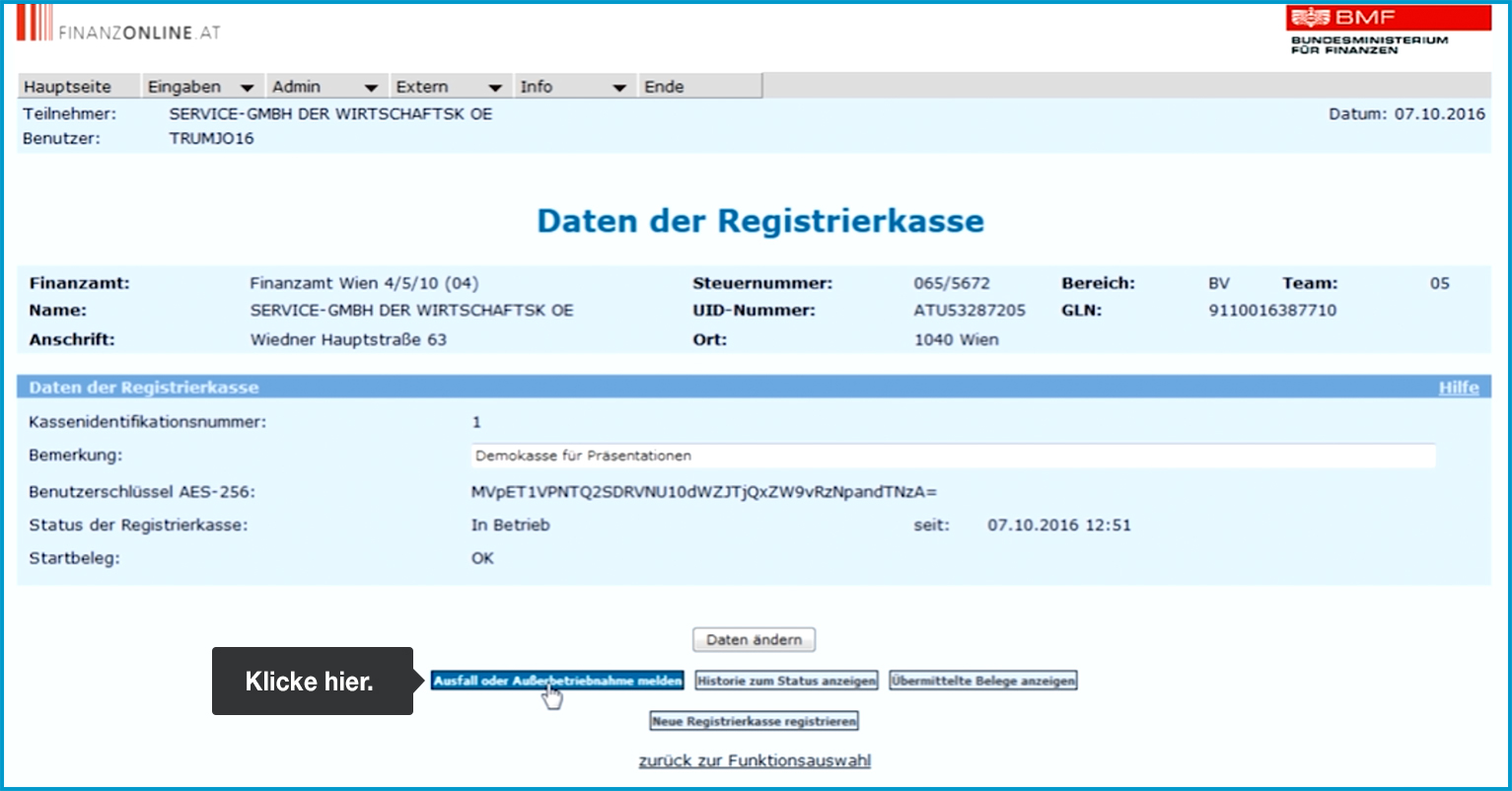
Click on "Ausfall oder Außerbetriebnahme melden" (Report downtime or decommissioning).
-
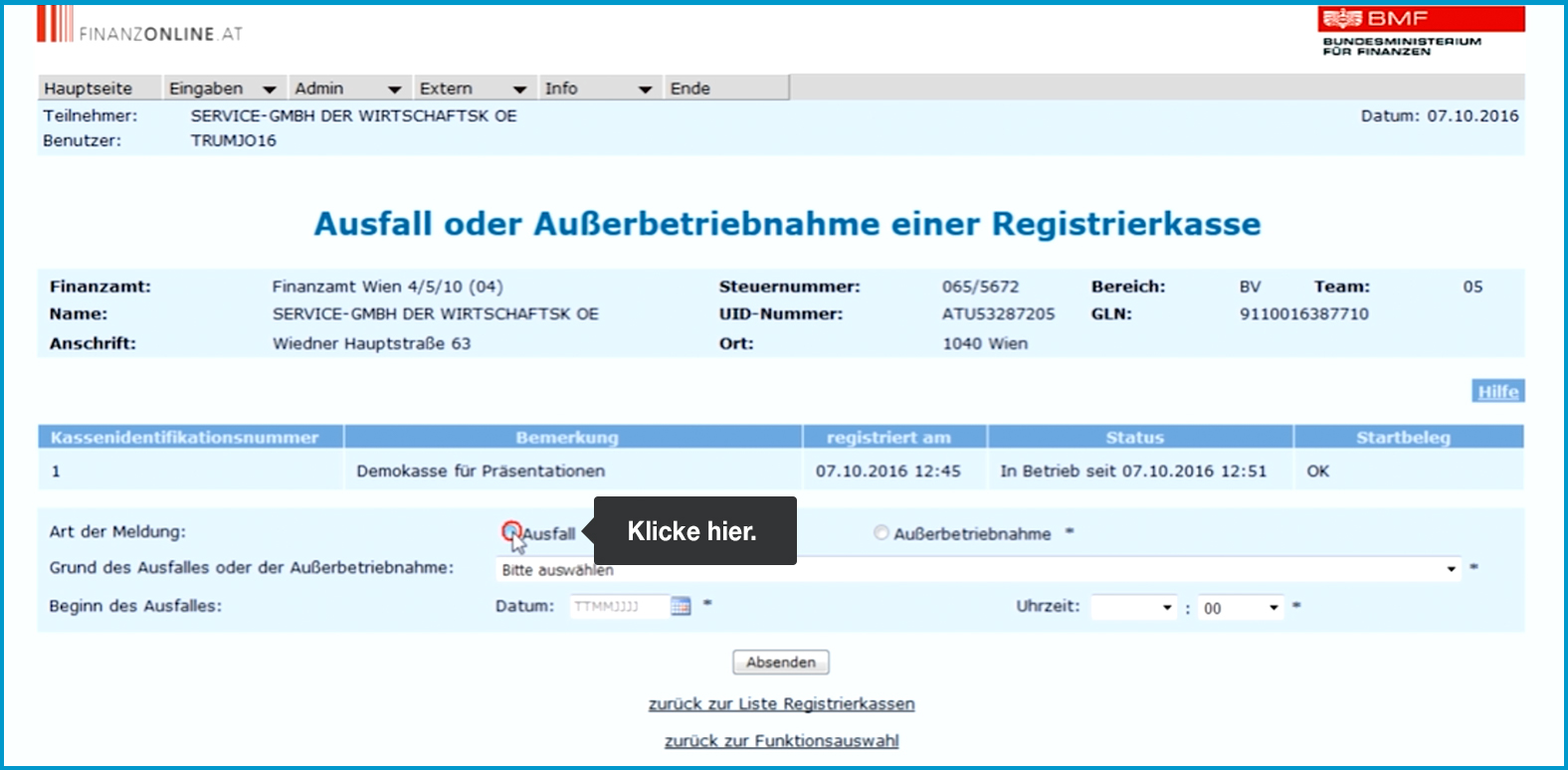
In the field that opens, select "Ausfall" (Downtime) under "Art der Meldung" (Type of report).
-
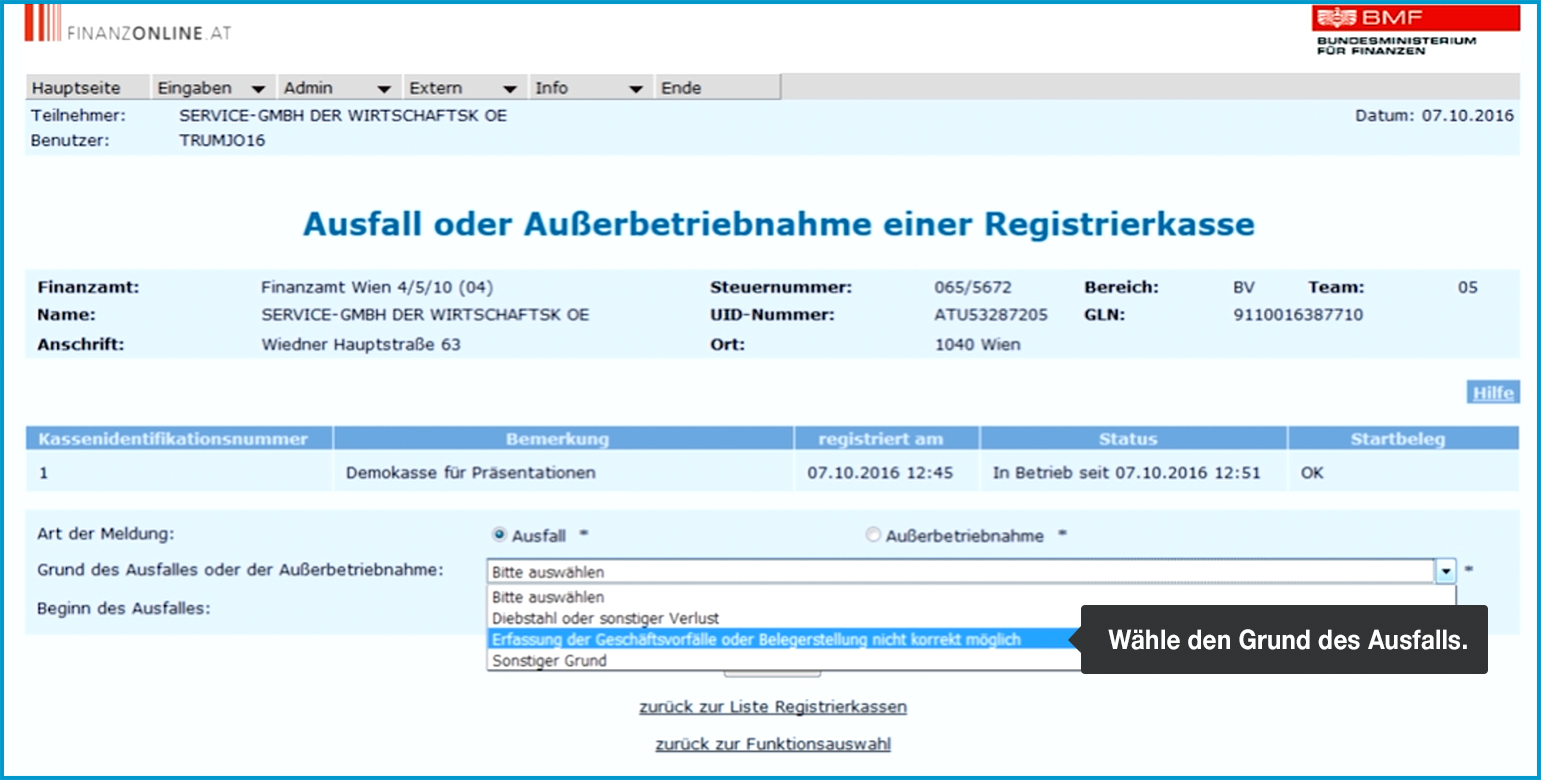
Under "Grund des Ausfalls oder der Außerbetriebnahme" (Reason for downtime or decommissioning), choose "Erfassung der Geschäftsvorfälle oder Belegerstellung nicht korrekt möglich" (Recording business transactions or creating receipts not possible).
-
Enter the time when the cash register went down under "Beginn des Ausfalles" (Start of downtime).
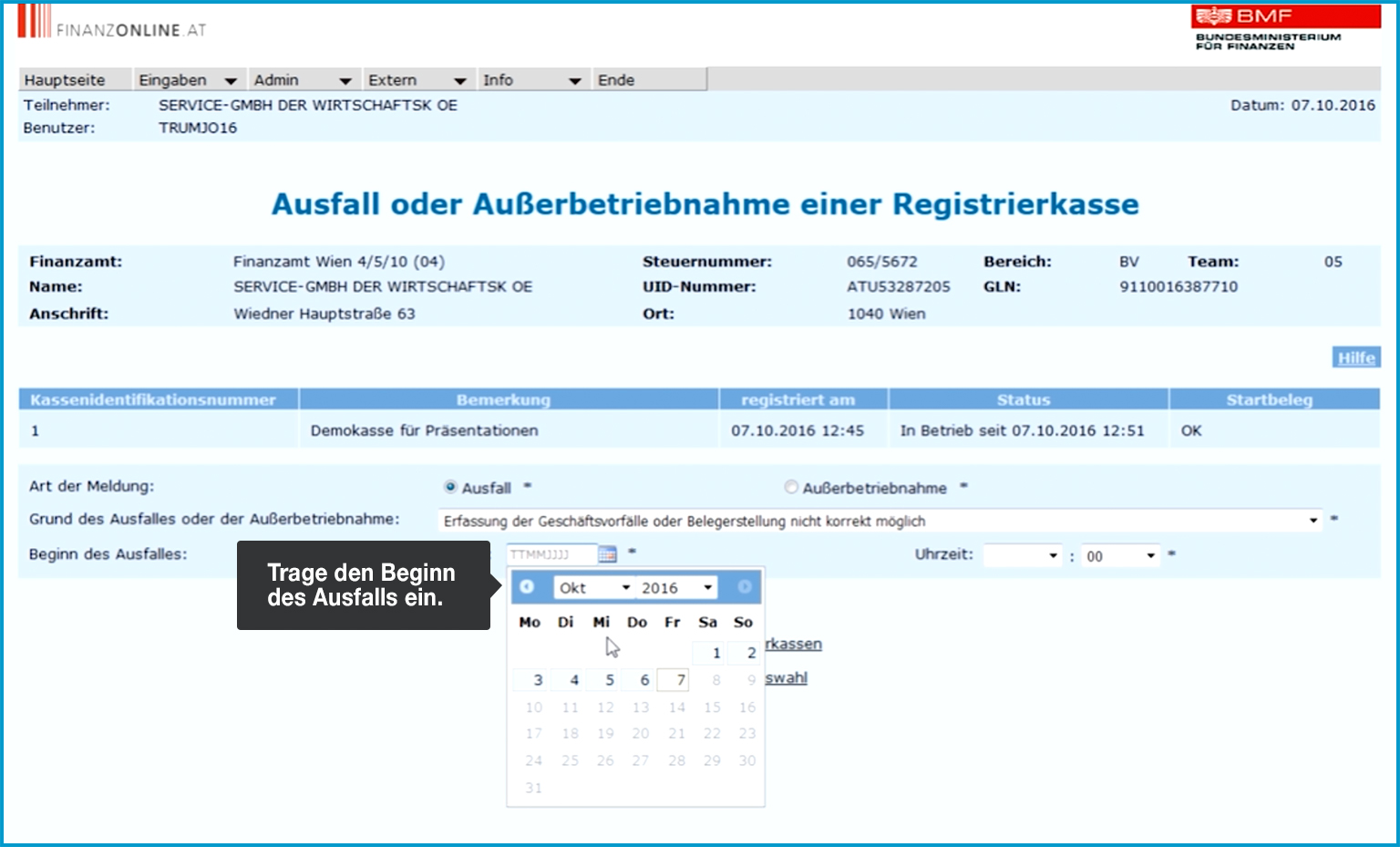
-
Enter the date of the cash register downtime under "Beginn des Ausfalles".
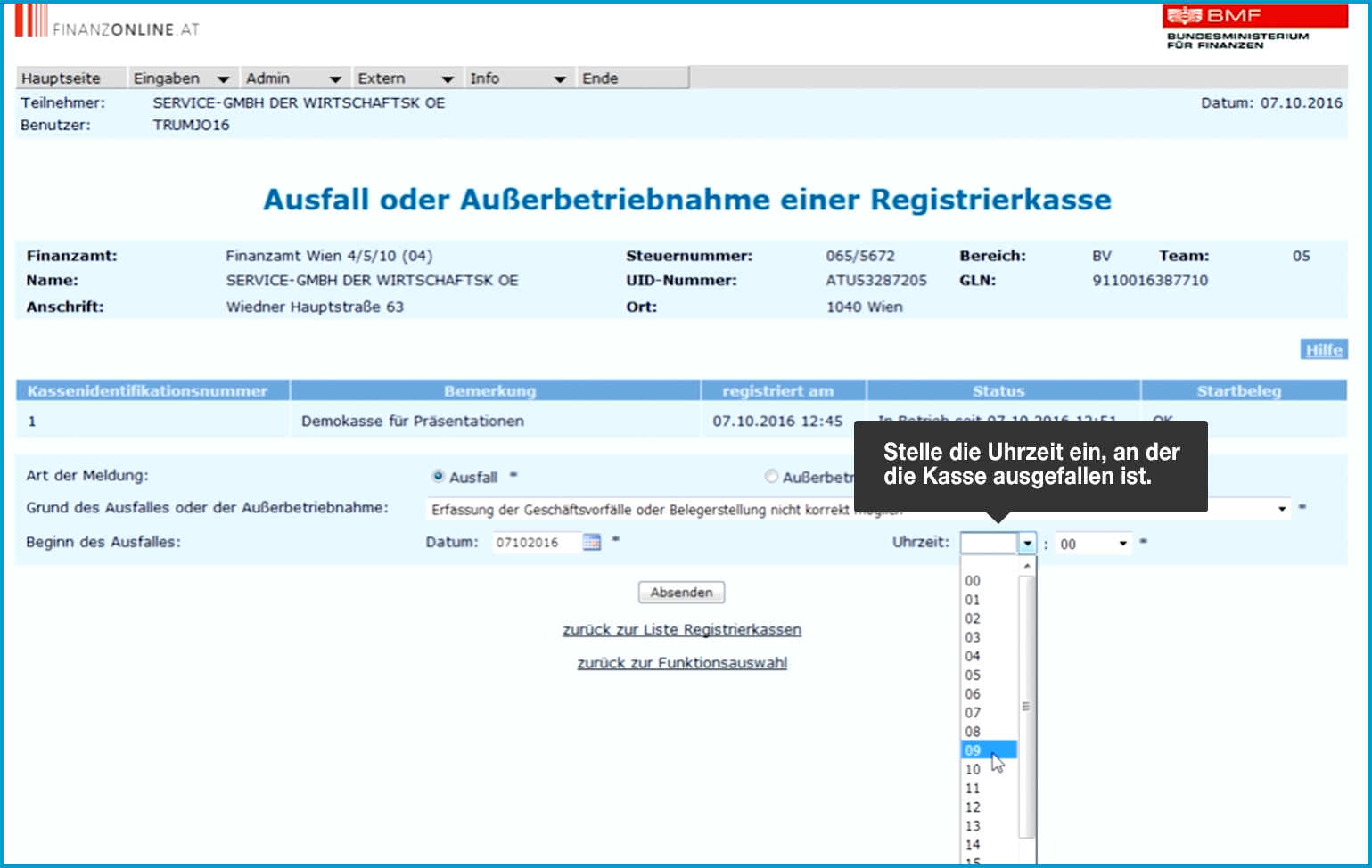
-
Click "Absenden" (Submit) at the bottom.
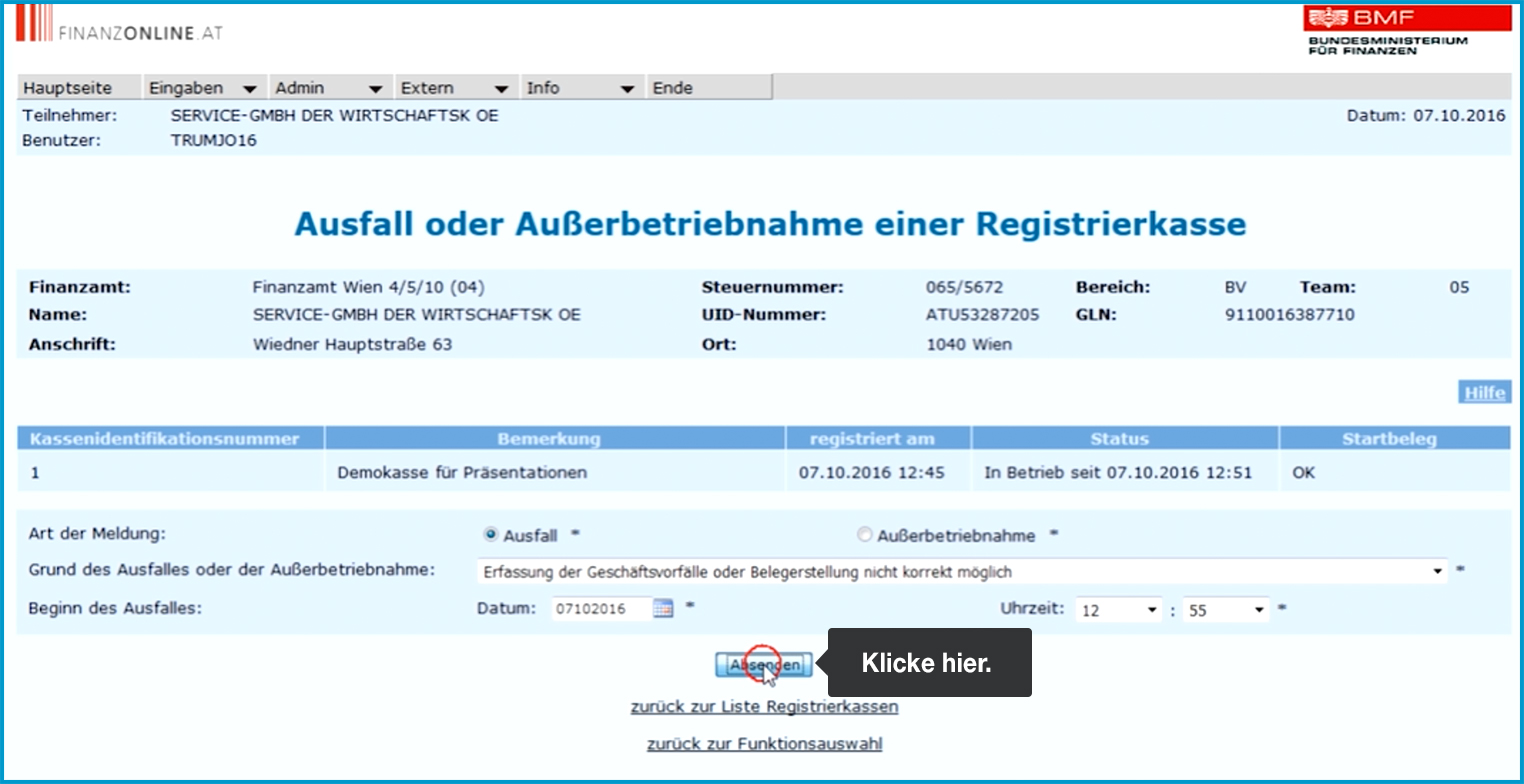
-
At the top of the screen, you will now see a green-bordered message saying “Die Verarbeitung wurde durchgeführt” (The processing has been completed).
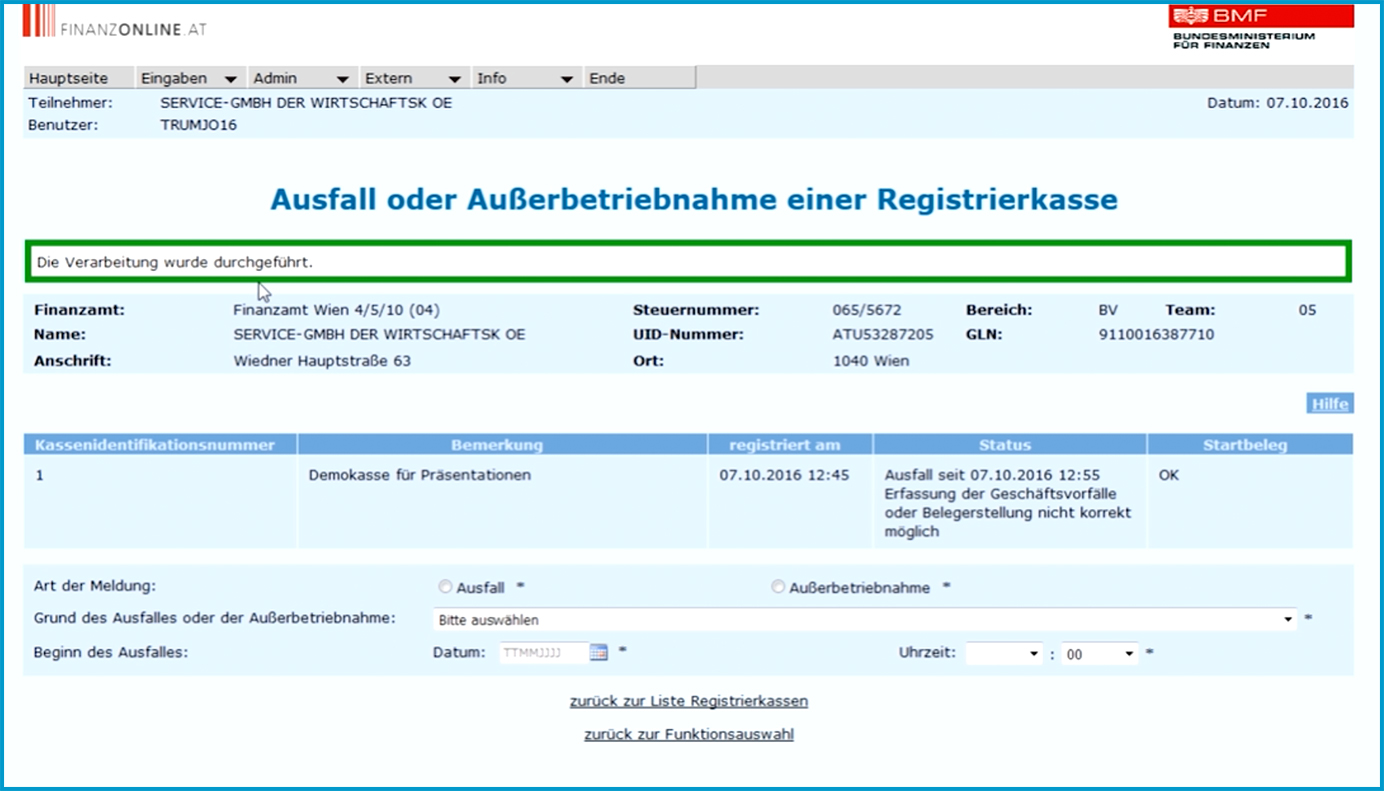
And now on to the next portal …
Report the Downtime on fiskaltrust.at
This report also needs to be submitted via fiskaltrust. You're only a few steps away from completing it.
Usually, the report is created automatically. However, if this didn’t work or if another reason applies (e.g. your device was stolen), you need to create the report manually. Here's how:
No Downtime report? Then create it manually
- Log in at portal.fiskaltrust.at using your credentials.
- In the menu on the left-hand side, select "Konfiguration" and click on "Queue".
- In the new window, you will see your packages with their respective cash register identification numbers. Click the white checkmark in the blue box in the "Lokalisierung" column for the affected POS.
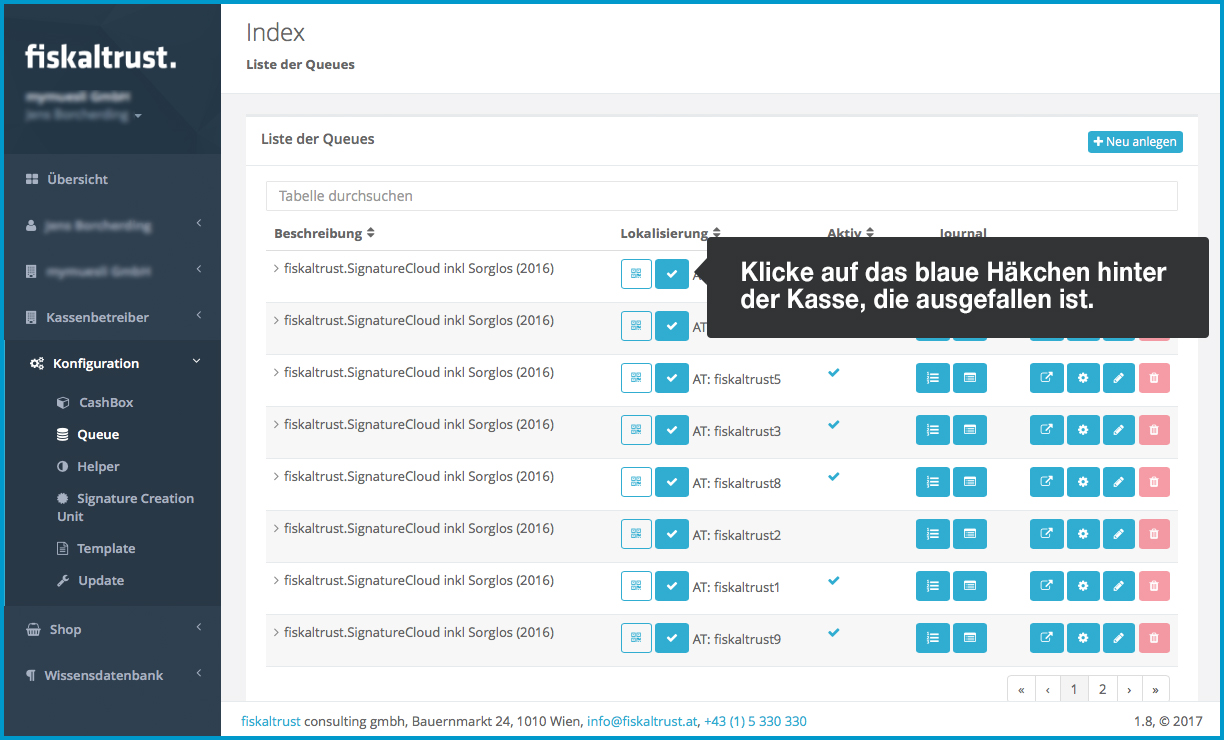
- In the next window, select "Ausfall der Registrierkasse" from the dropdown menu.

- Click on "Meldung erstellen".

- You will now be redirected to the overview under Werkzeuge > FinanzOnline (FON) Meldungen.

Mark the report as “manuell durchgeführt (manually submitted)”
Now, you need to mark the downtime report as “manuell durchgeführt (manually submitted)”.
- Go to Tools > FinanzOnline (FON) Reports.
- Click the white checkmark in the blue circle next to the report to mark it as “manually submitted”.

- From the dropdown menu under "Status der Registrierkasse", select “Vorübergehend außer Betrieb oder ausgefallen (Temporarily out of order or downtime)”.

- Click on “Meldung abschließen”.
- Done.

- That's it!
No iPad anymore?
If your iPad with orderbird PRO installed is no longer functional or has been lost, you’ll now continue working with pen, paper, and carbon copy. Find out what information a handwritten invoice must contain to comply with the RKSV requirements: How do I enter manually written receipts from an outage (Ausfall)?
What Should I Do Next?
Find out here what steps to take when you can bring your cash register back into operation.