Contact Us

If you still have questions or prefer to get help directly from an agent, please submit a request.
We’ll get back to you as soon as possible.

Please fill out the contact form below and we will reply as soon as possible.

  • Knowledge Base MINI
  • Contact us
English (US)
US English (US)
DE German
  • Home
  • Card payment
  • Your start with card payment with orderbird PRO and Worldline

How does the registration for card payment with orderbird PRO and Worldline proceed?

Learn how to efficiently register for card payment using orderbird PRO and Worldline, streamlining your payment processes and providing convenience for both you and your customers.

Written by Ilaria und Ben

Updated at November 12th, 2024

Contact Us

If you still have questions or prefer to get help directly from an agent, please submit a request.
We’ll get back to you as soon as possible.

Please fill out the contact form below and we will reply as soon as possible.

  • First Steps
    Hello new Bird! About your Apple devices Step 1: How to set up your network Step 2: MY orderbird Step 3: How to install and set up the app Step 4 - How to serve your first guest Step 5 - Card payment with orderbird PRO
  • Working with orderbird PRO
    Working Settings Fiscalization in Austria (RKSV) "Kassensicherungsverordnung" in Germany orderbird PRO - Versions and Updates
  • Card payment
    Your start with card payment with orderbird PRO and Worldline Your start with card payment with orderbird PRO and Nexi Germany Your start with American Express Working with orderbird card payment Pay Terminal Plus (WiFi card reader) Pay Terminal One (Bluetooth card reader) Card payment on the smartphone
  • Analyze your sales
    Reports on orderbird PRO The DATEV export Reports on MY orderbird
  • Printer & Network
    Printer Network
  • Expand your orderbird PRO
    orderbird PRO Cashbook orderbird Gift Cards Bestellmanagement
  • MY orderbird - Your orderbird business account
    Your account settings on MY orderbird
+ More

Table of Contents

Let's go

If you are considering starting with Worldline, you can get an overview of how easy and fast you can begin with card payment and orderbird.

Let's go

  1. Provide us with your data on the phone or by e-mail.
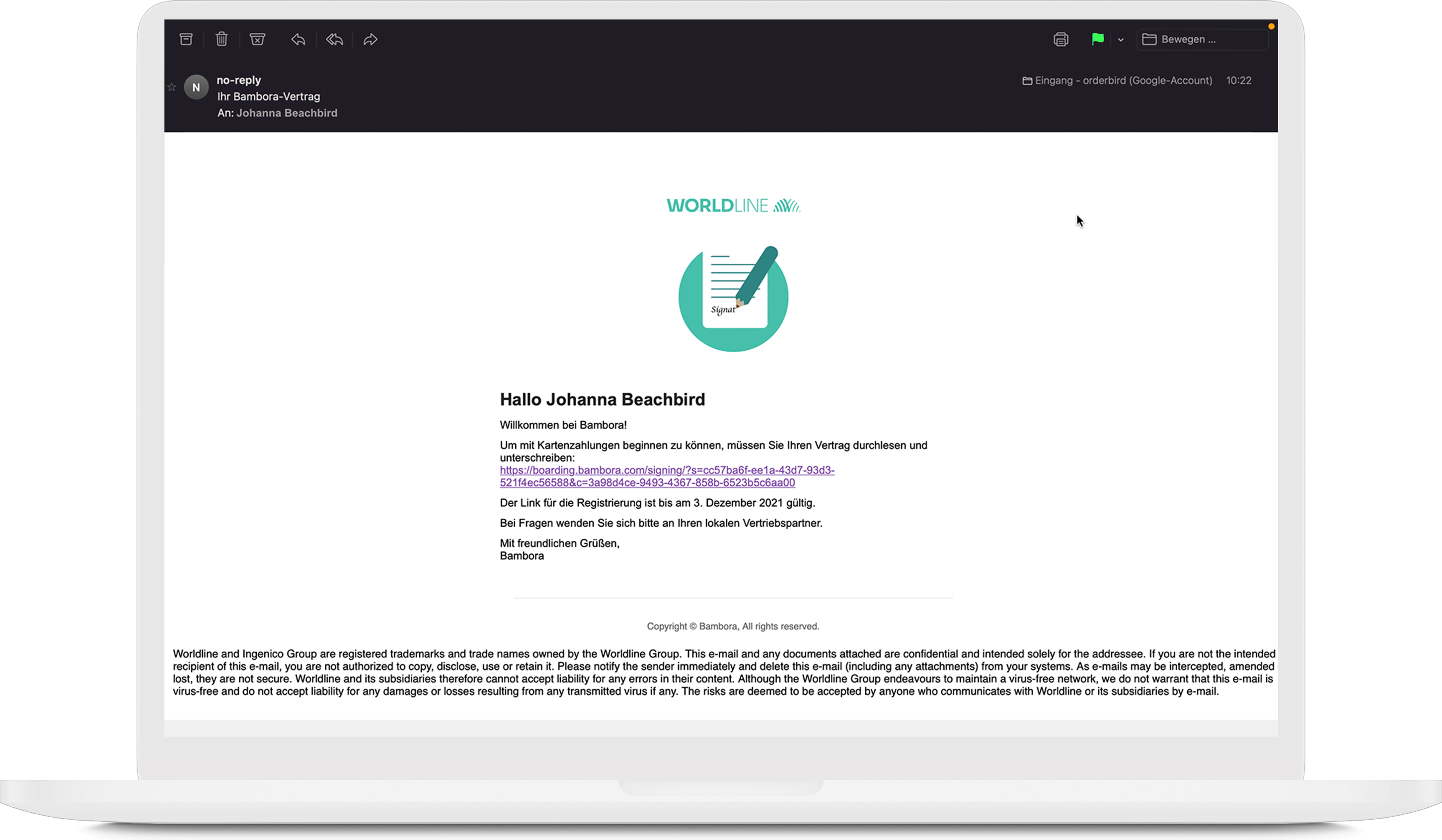
  2. After that, you will receive a mail from Worldline. Click on the link in this mail. 
  3. On the new page, you and any additional signatories can review the contract and download it as a PDF. To do this, click on “eine Zusammenfassung Ihres Vertrages ansehen” (view a summary of your agreement)! 
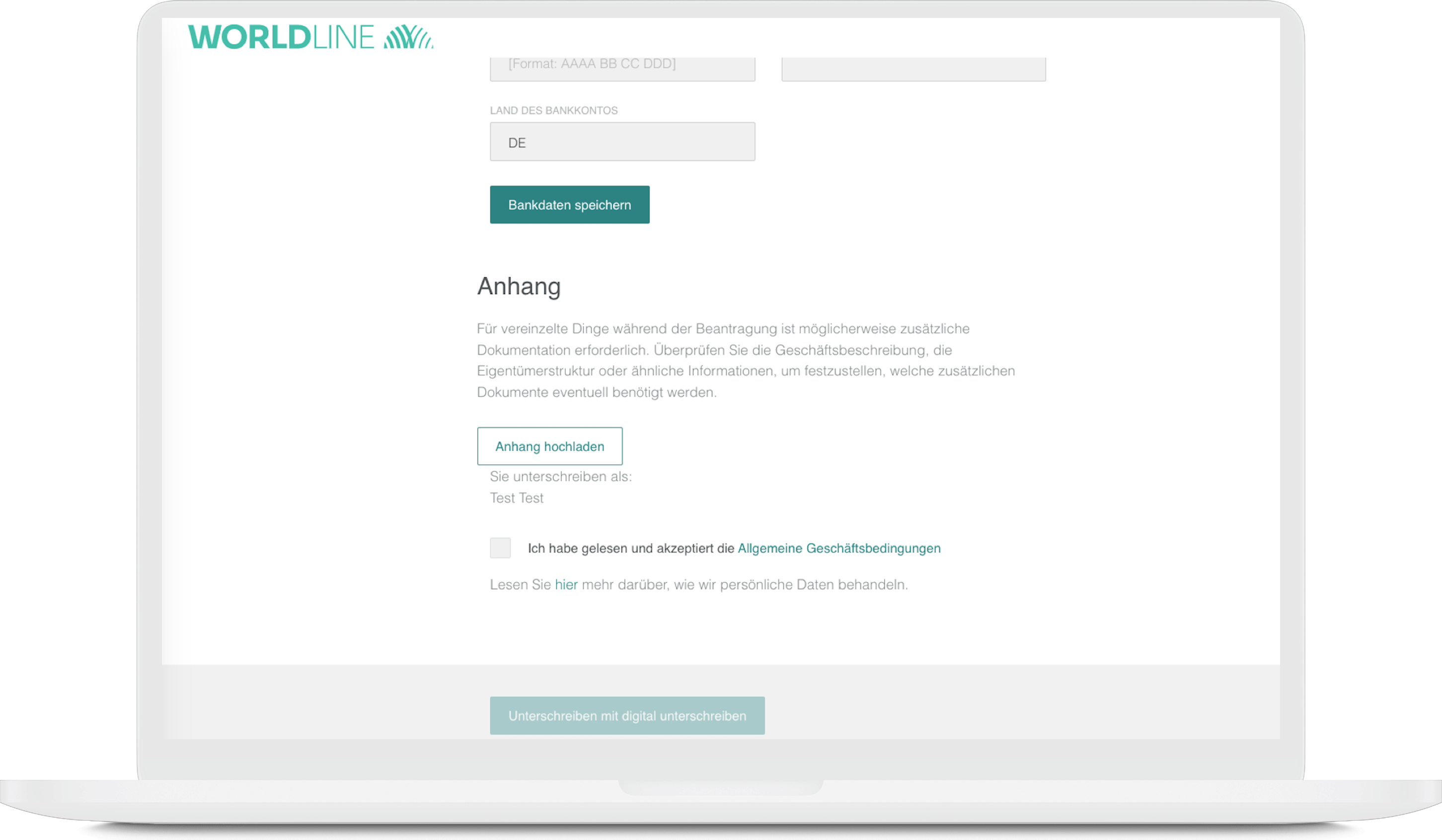
  4. All the details in your agreement are correct? Great! Now, please provide your bank account for the payout of your revenues. 
  5. Click on “Bestätigen Sie Ihr Bankkonto” and enter the IBAN and the account holder’s name. The account holder must be the company name. For sole proprietorships, this is the name of the owner, while for all other types of companies, it should be the registered company name. Third-party bank accounts (belonging to other individuals or companies) are not permitted. 
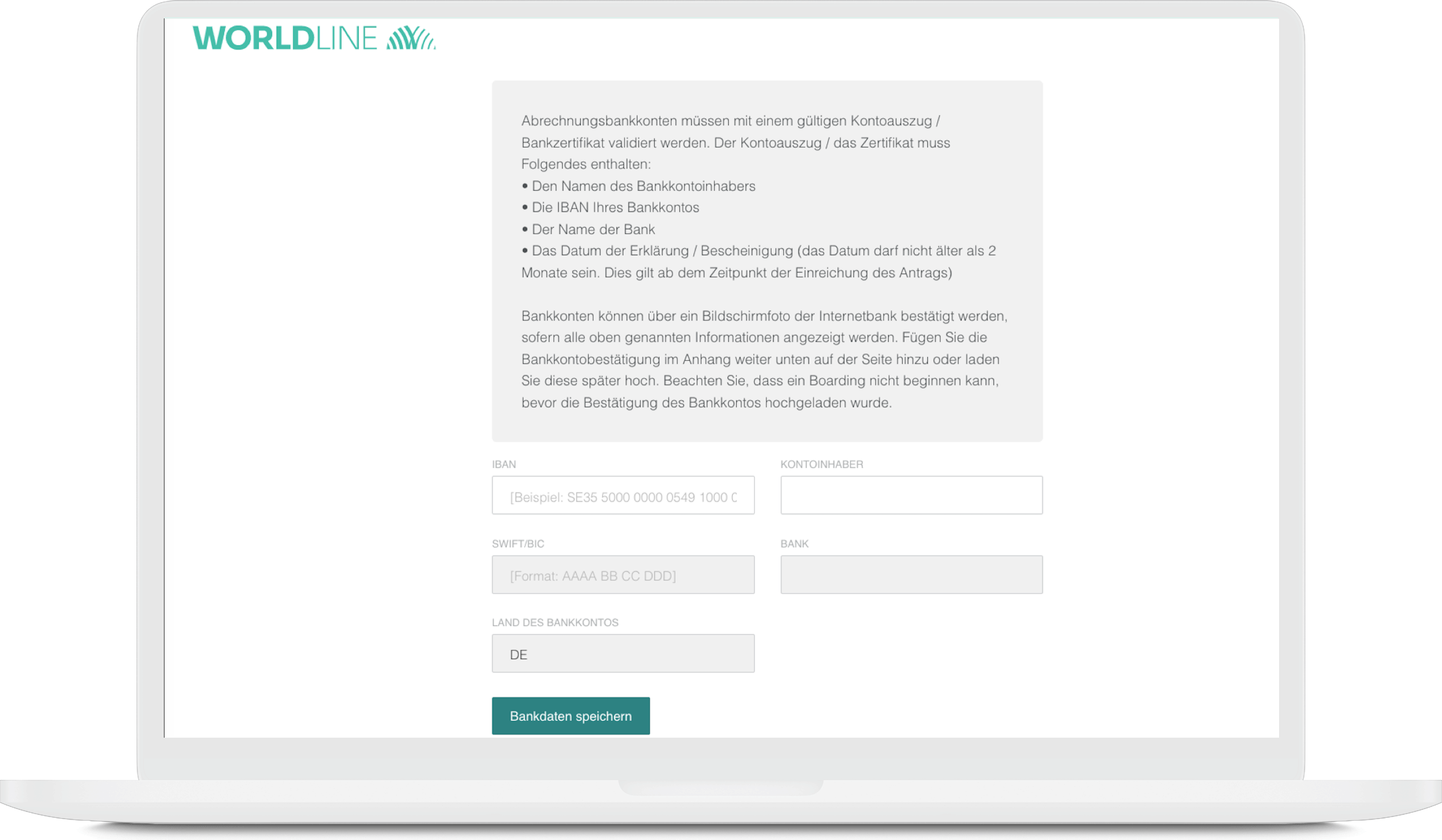
  6. Upload a confirmation of your bank account in the attachment. Proof of an active bank account is mandatory for registration with Worldline. The easiest way to do this is with a bank statement from the last month. Your bank proof must show the following four details:
    • Name or logo of your bank
    • Account holder’s name
    • IBAN
    • A date no older than 2 months 
       
      Confidential information can, of course, be hidden. 
  7. Then check the box of „Ich habe gelesen und akzeptiere die Allgemeine Geschäftsbedingungen“. 
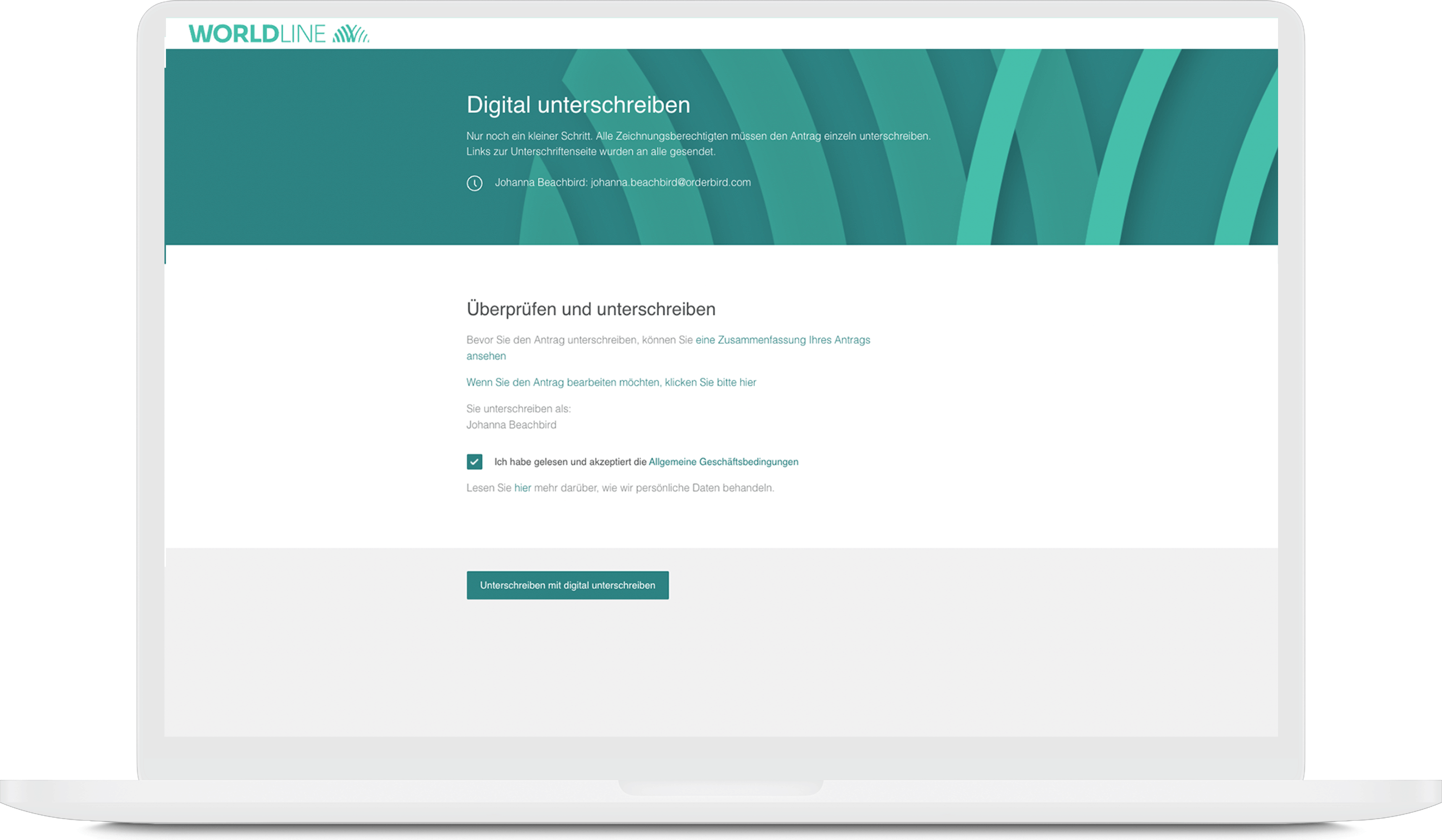
  8. Click on “Unterschreiben mit digital unterschreiben” (sign with a digital sign)
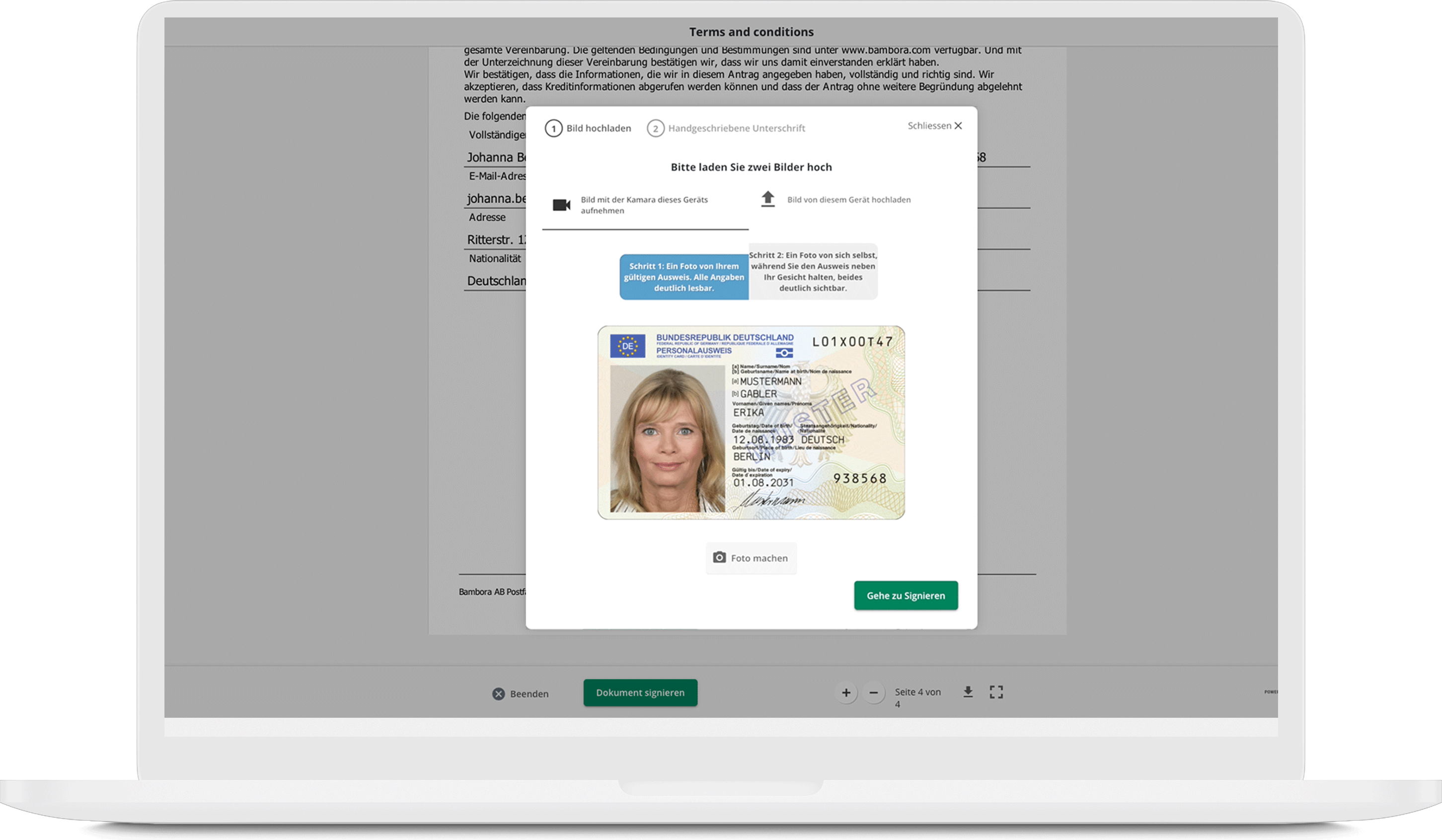
  9. Then click on "Dokument signieren" (sign the agreement). Should you still wish to correct something, go back to step 3.  

    In case your browser asks now if signature.signicat.com does have access to your camera, please allow it. This way, you can take the requested photos directly with your webcam. 
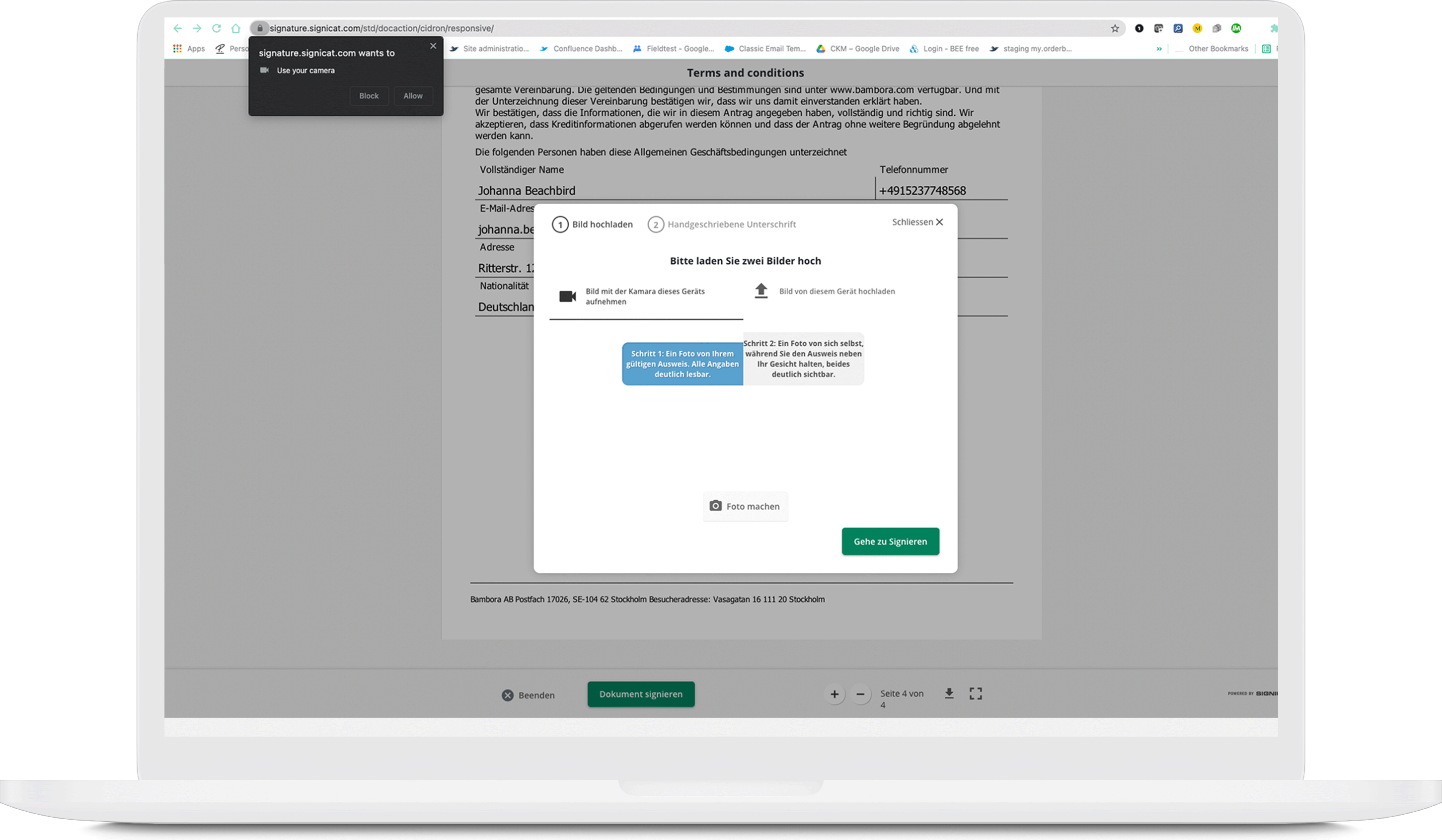
  10. Next, upload two pictures (max. 3 MB each, JPG or PNG only, no PDF):
    1. first, a picture of your ID 
    2. … and second, a picture of you holding the ID document next to your face. 
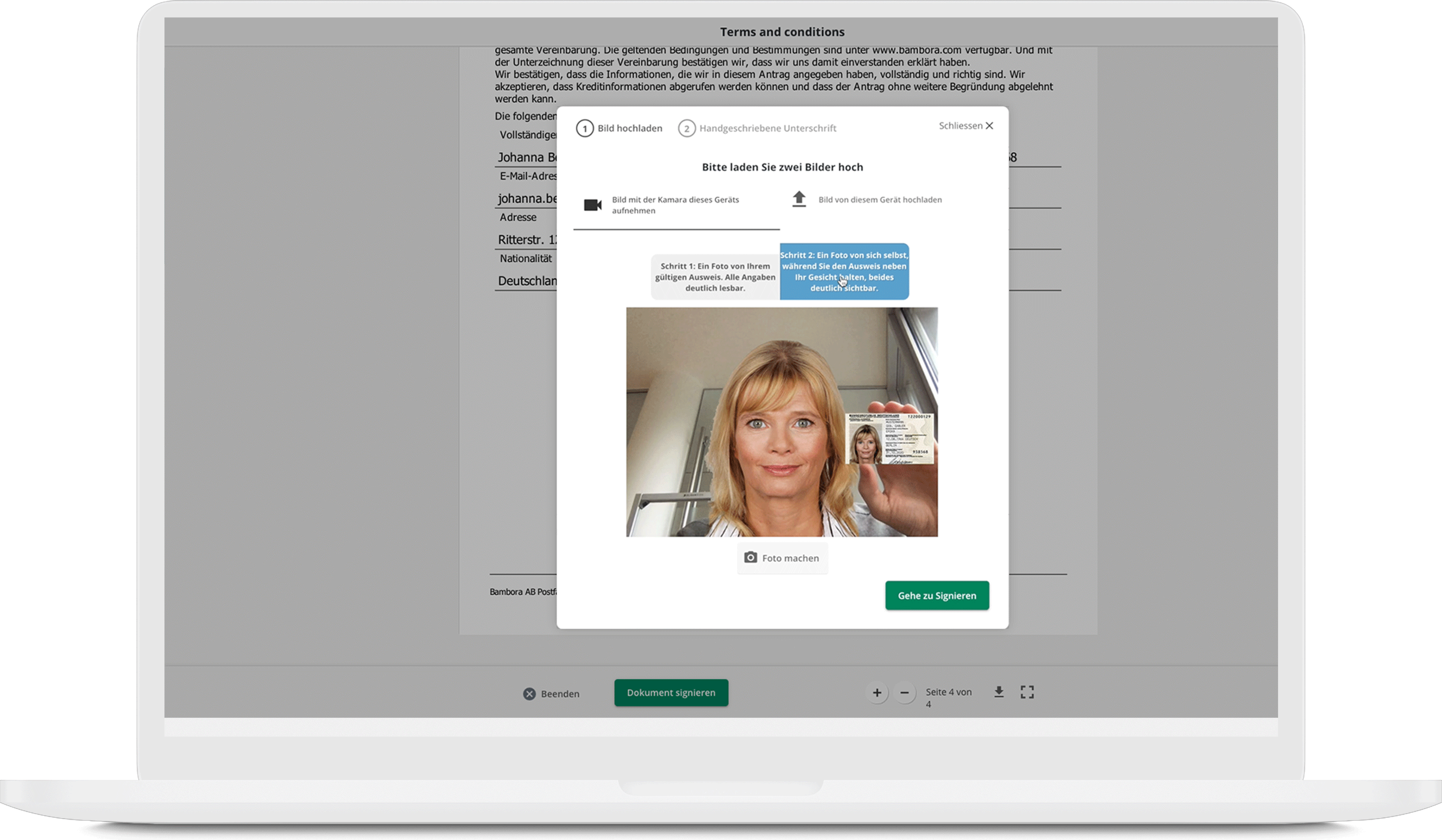
  11. Now click “Gehe zu Signieren” (Go to sign) and sign directly on your device. 
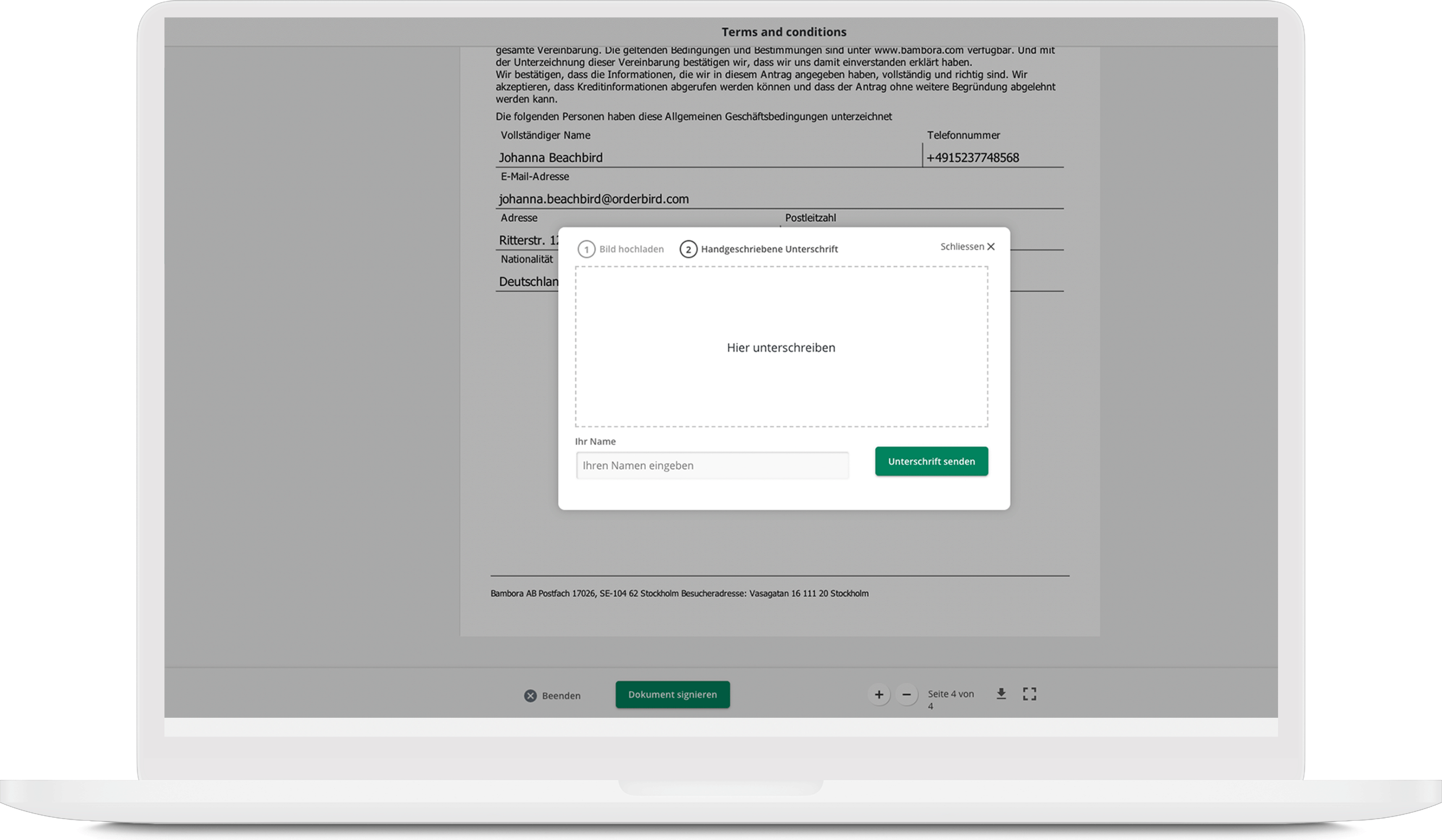
     
    You can sign with your finger if you have an iPad, iPhone, or iPod. If you have a desktop, please provide your signature with the mouse. 
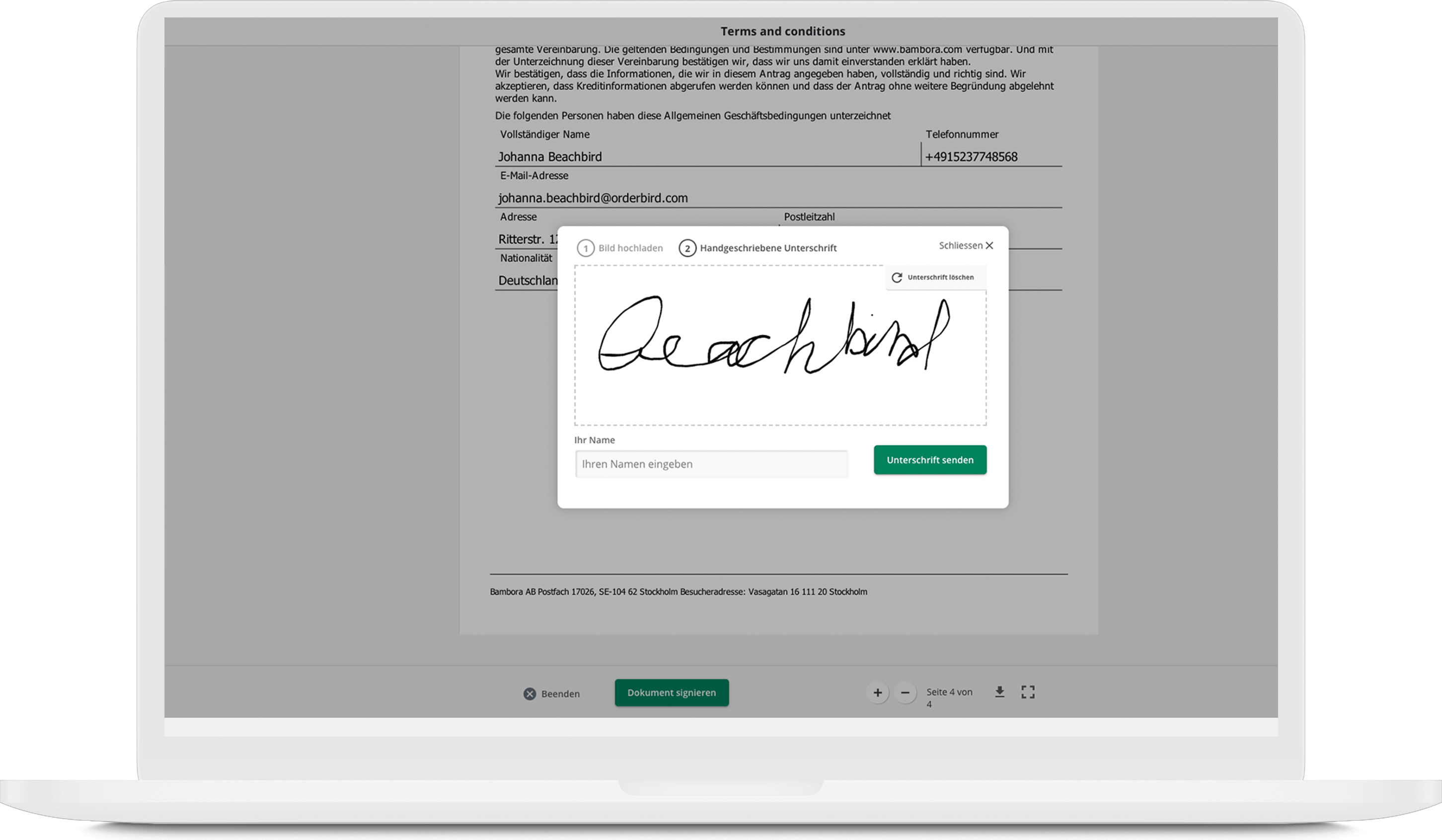
  12. Click on “Unterschrift senden” (send signature)
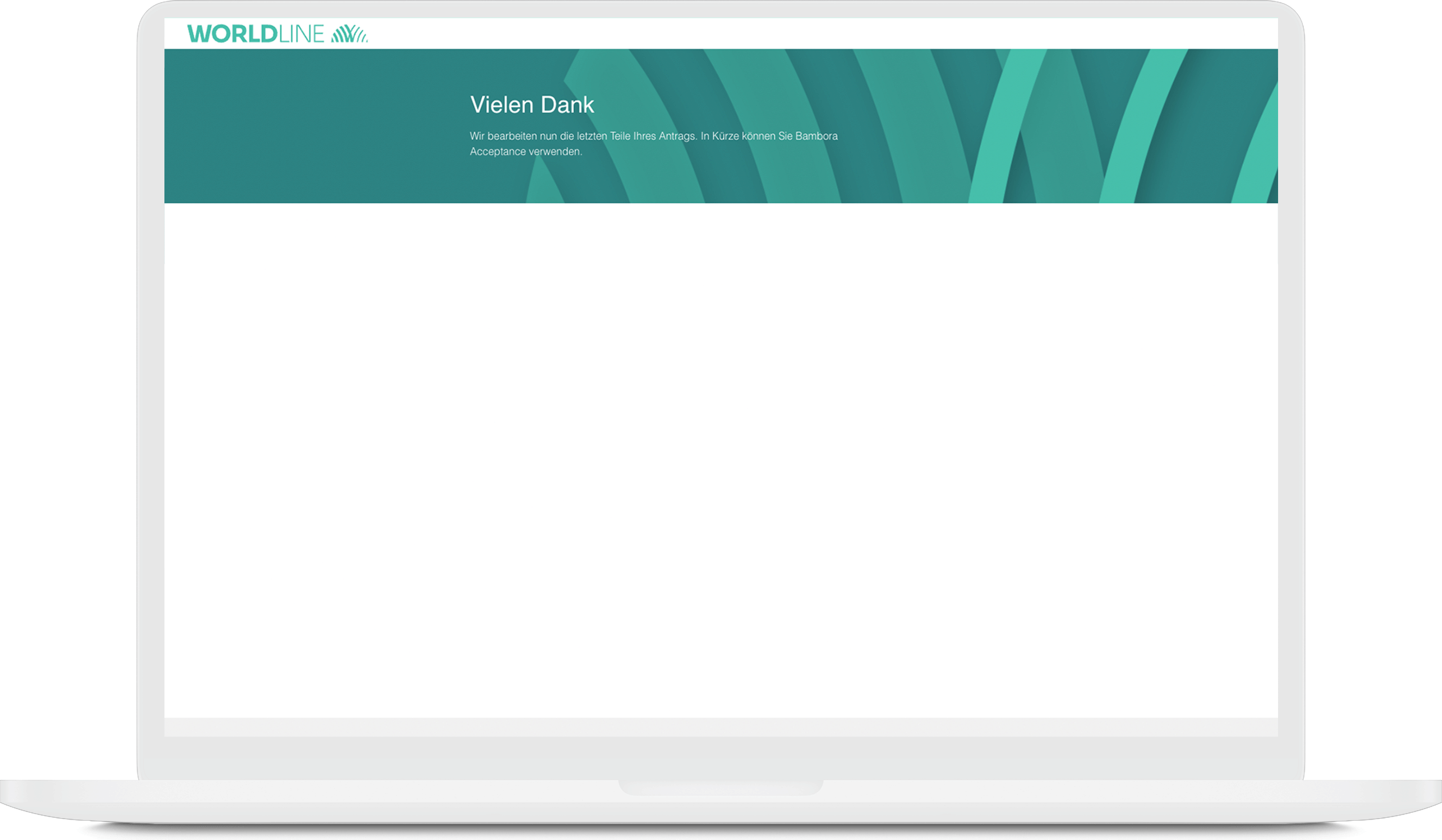
  13. DONE! 
     
    Now it’s time to be a bit patient. Worldline will get in touch with you—either to let you know that everything went smoothly or to inform you that additional documents or similar items need to be submitted.
animal husbandry livestock care

Was this article helpful?

Yes
No
Give feedback about this article

Related Articles

  • Card payment with orderbird PRO and Worldline: Conditions
  • What documents do I need to start card payments with orderbird PRO and Worldline?
  • Which card providers and payment methods are supported by orderbird PRO and Worldline?
  • How do I log in to Worldline?
  • How can I check my transactions at Worldline?
030 208 983 098

About orderbird

With over 17,000 customers — restaurants, cafés, bars, clubs, and beer gardens — orderbird is one of the leading Point of Sales systems for the hospitality industry in Europe. With the mobile POS system orderbird MINI, orderbird also offers a smart cash register solution for service providers, retailers, mobile hospitality, and the crafts.

orderbird was founded in 2011 and today employs more than 120 people.

Address

orderbird GmbH
Ritterstraße 12
D-10969 Berlin
Phone: 030 208 983 098

Opening hours

Monday: 09:00 - 18:00
Tuesday: 09:00 - 18:00
Wednesday: 09:00 - 18:00
Thursday: 09:00 - 18:00
Friday: 09:00 - 18:00
Saturday: Closed (except emergency support)
Sunday: Closed (except for emergency support)


© 2026 orderbird GmbH
  • Imprint
  • Privacy Policy
  • Legal Notice
Expand