Basis-Paket | Downtime Report for the Signaturerstellungseinheit After 48 Hours

Table of Contents
Does the note "Signaturerstellungseinheit ausgefallen" (Signature Creation Unit Failed) appear on your receipts? This means that no connection can currently be established with the “Signaturerstellungseinheit” (signature creation unit). You are required to report this downtime to the “Finanzamt” (tax office) if this note is displayed continuously for more than 48 hours. You can do this via the portals FinanzOnline.at and portal.fiskaltrust.at.
Let's Go
Have the overview of your RKSV credentials ready.
FinanzOnline.at
Take the following steps on FinanzOnline.at:
- Log in to www.FinanzOnline.at with your credentials.
- In the top navigation, select "Eingaben" (Entries) > “Registrierkassen” (Cash Registers).
-
Then select the entry "Ausfall und Außerbetriebnahme einer Signatur- bzw. Siegelerstellungseinheit" (Downtime and Decommissioning of a Signature or Seal Creation Unit) in the "Signatur- bzw. Siegelerstellungseinheit" (Signature or Seal Creation Unit) box.
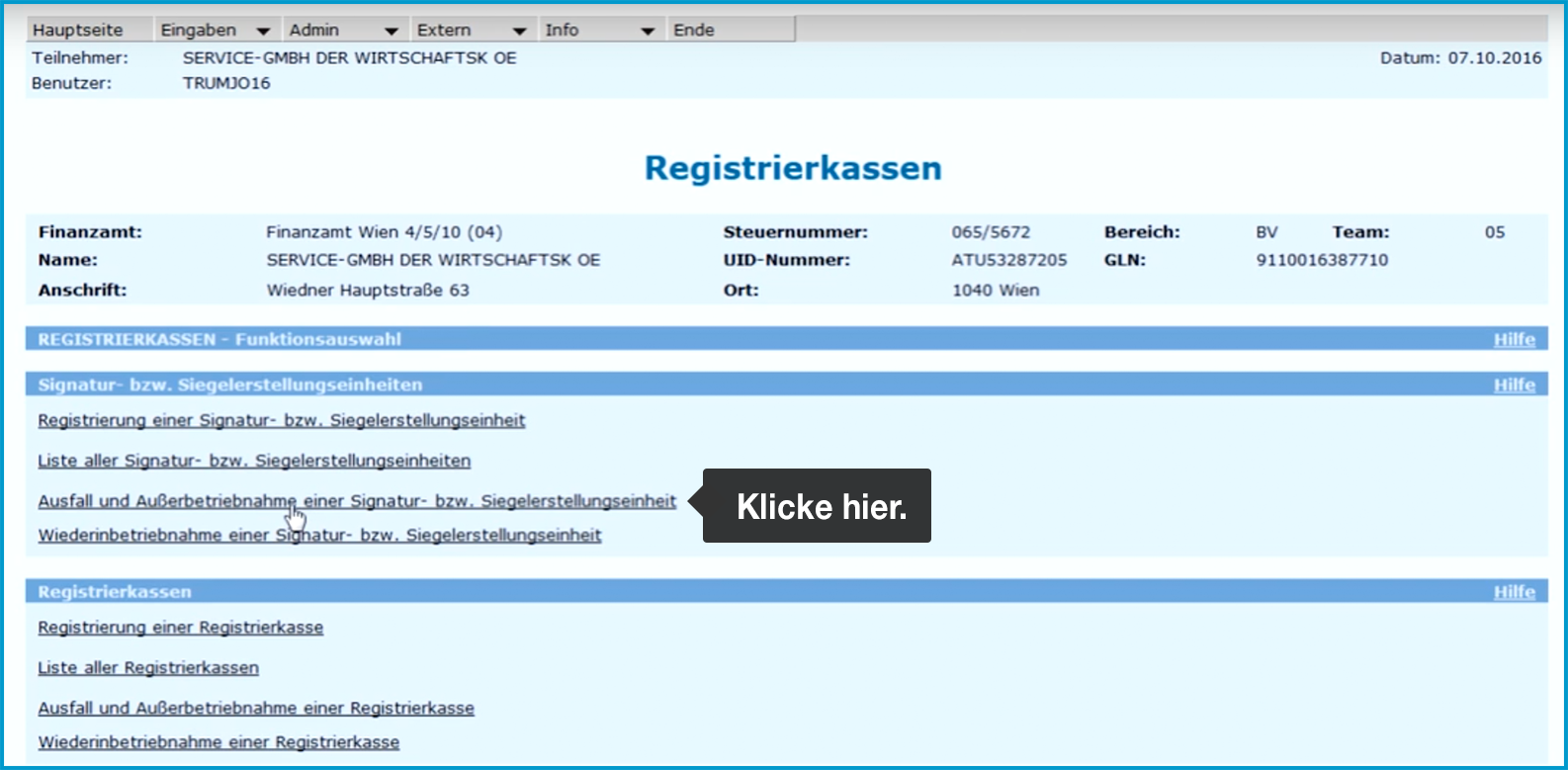
(If you have multiple signature creation units, you will now see a list from which you must first select the relevant unit). -
Click on "Ausfall oder Außerbetriebnahme melden" (Report Downtime or Decommissioning).
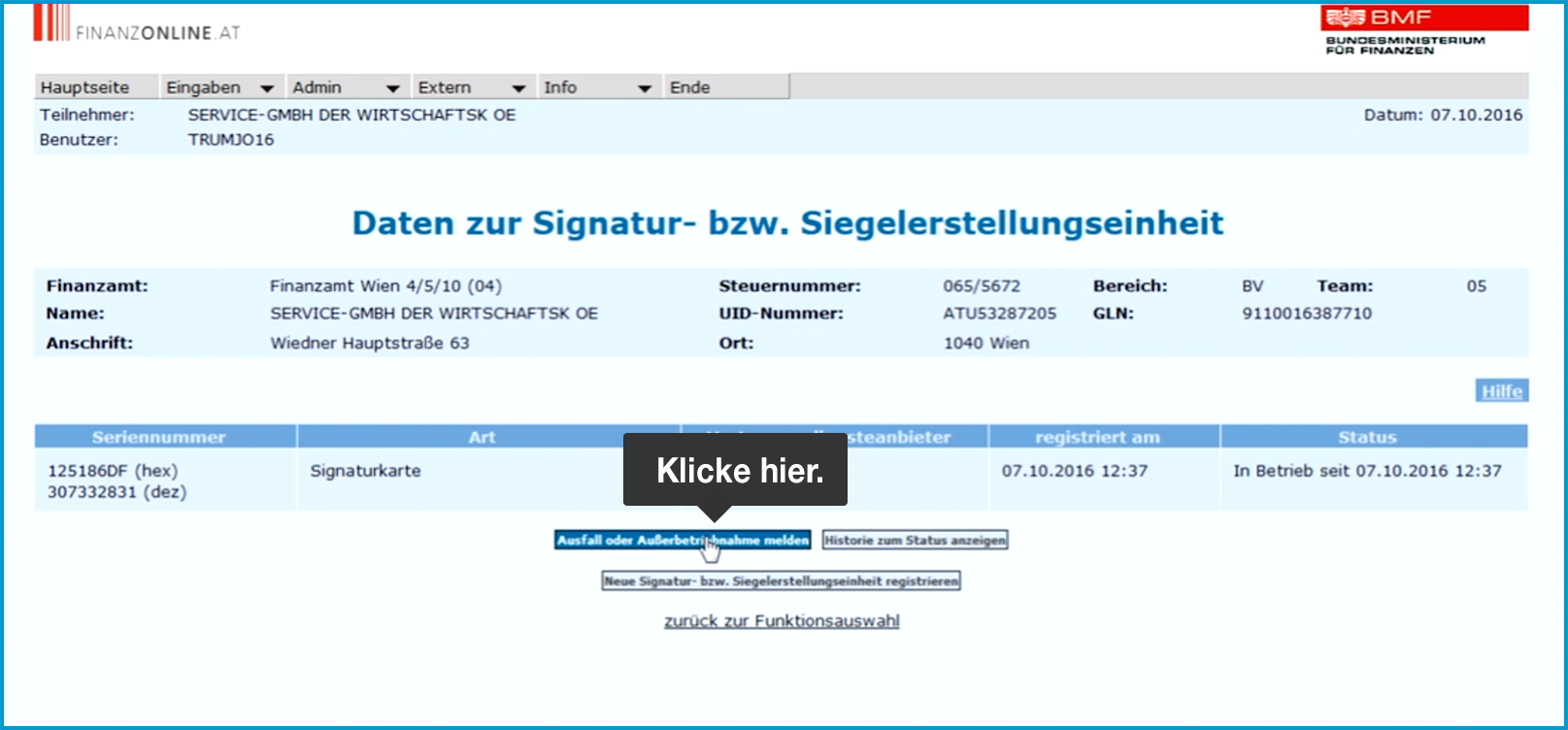
-
In the field that opens, select "Ausfall" (Downtime) under "Art der Meldung" (Type of Report).
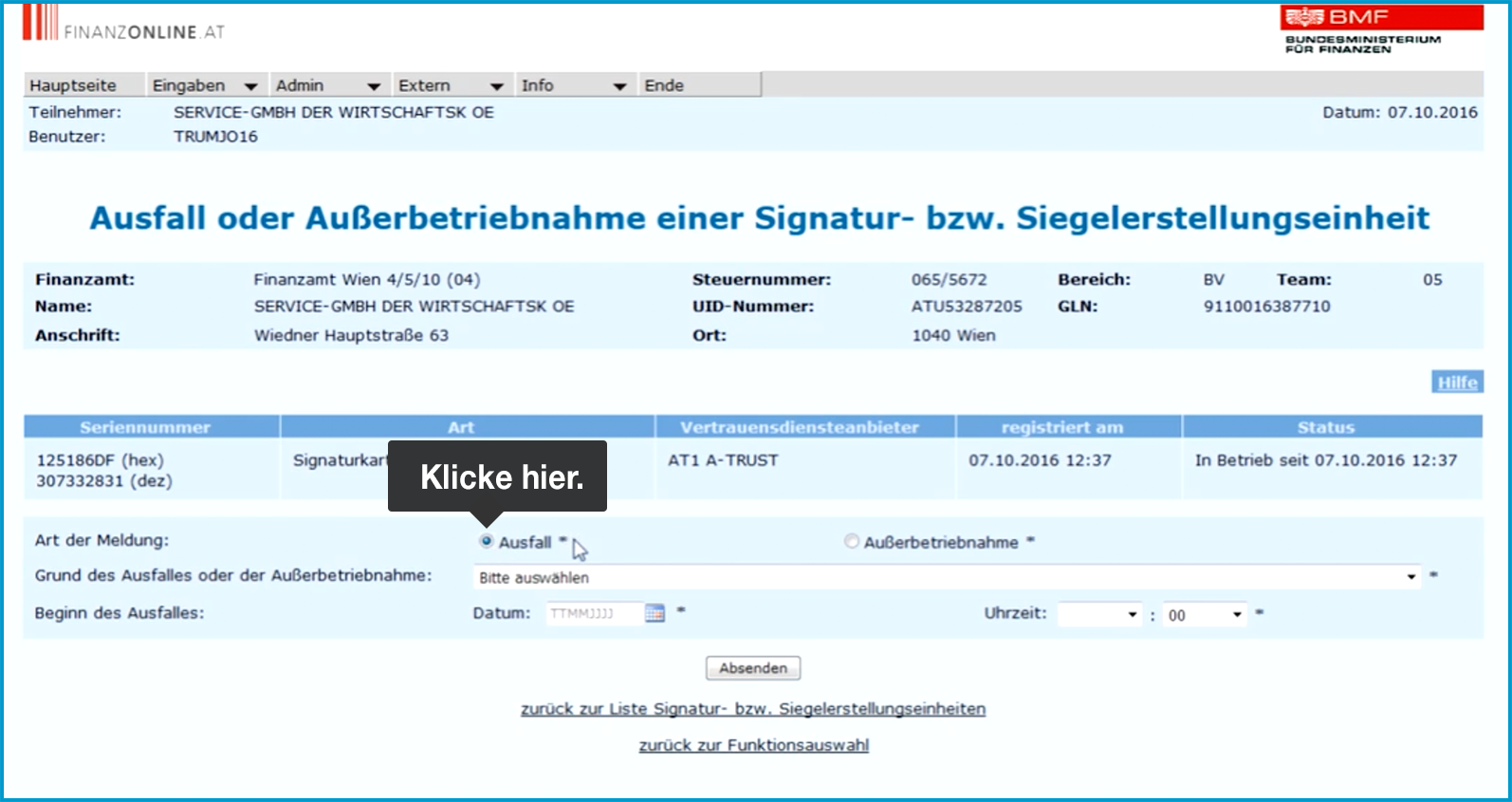
-
Under "Grund des Ausfalls oder der Außerbetriebnahme" (Reason for Downtime or Decommissioning), choose "Signatur- bzw. Siegelerstellung unmöglich oder fehlerhaft" (Signature or Seal Creation Impossible or Faulty).
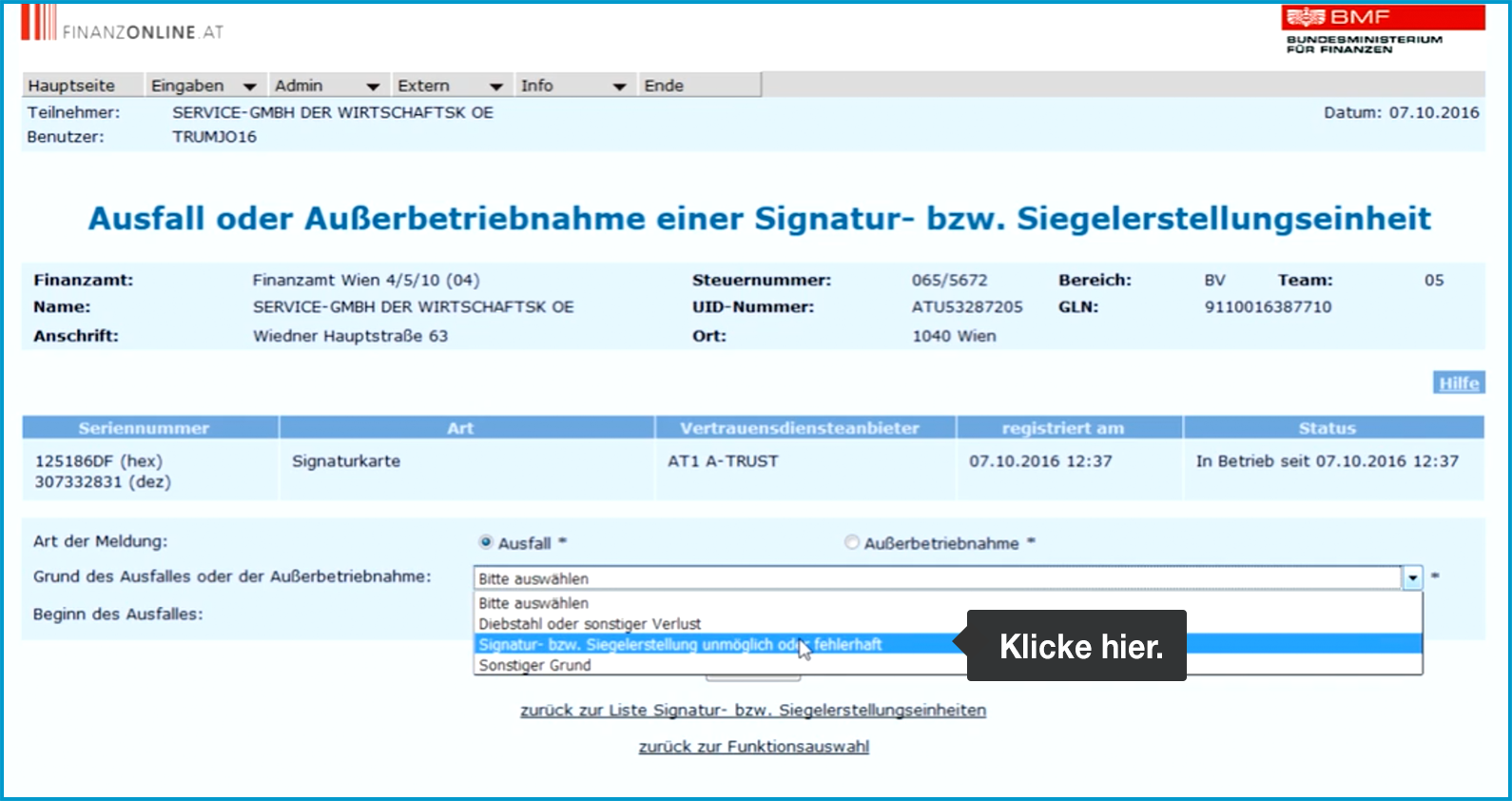
-
For "Beginn des Ausfalles" (Start of Downtime), enter the date and time of the first receipt on which "Signaturerstellungseinheit ausgefallen" was printed.
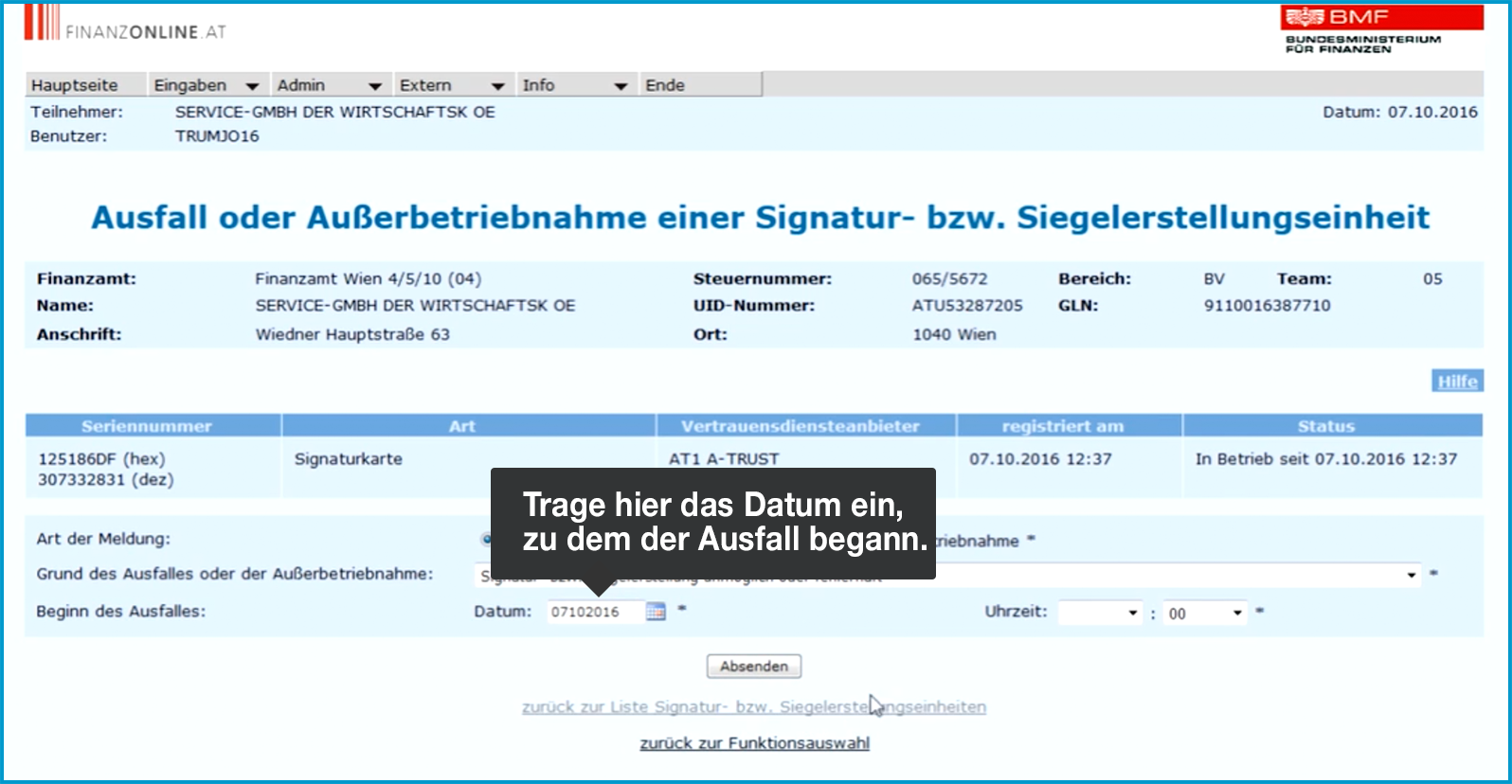
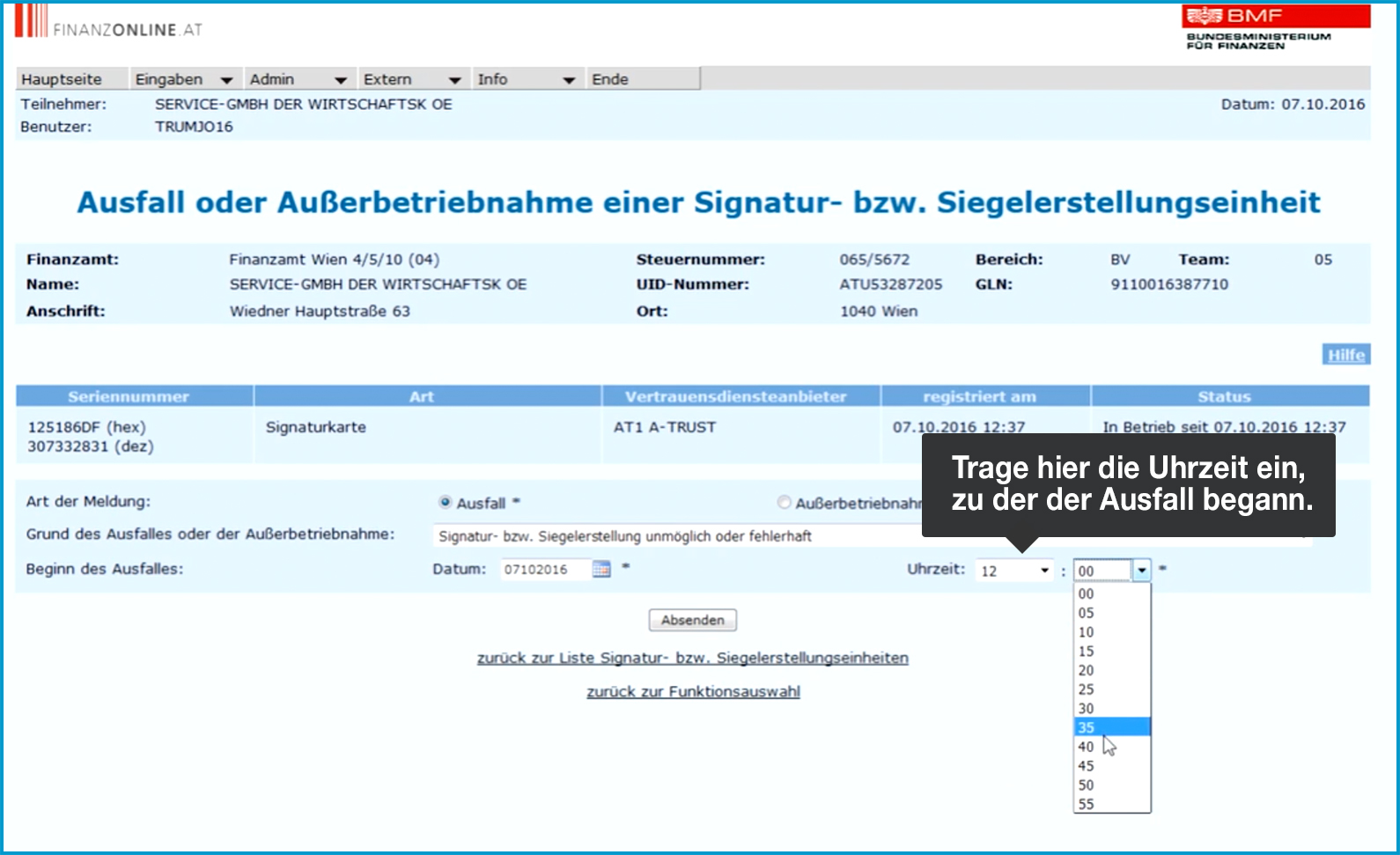
-
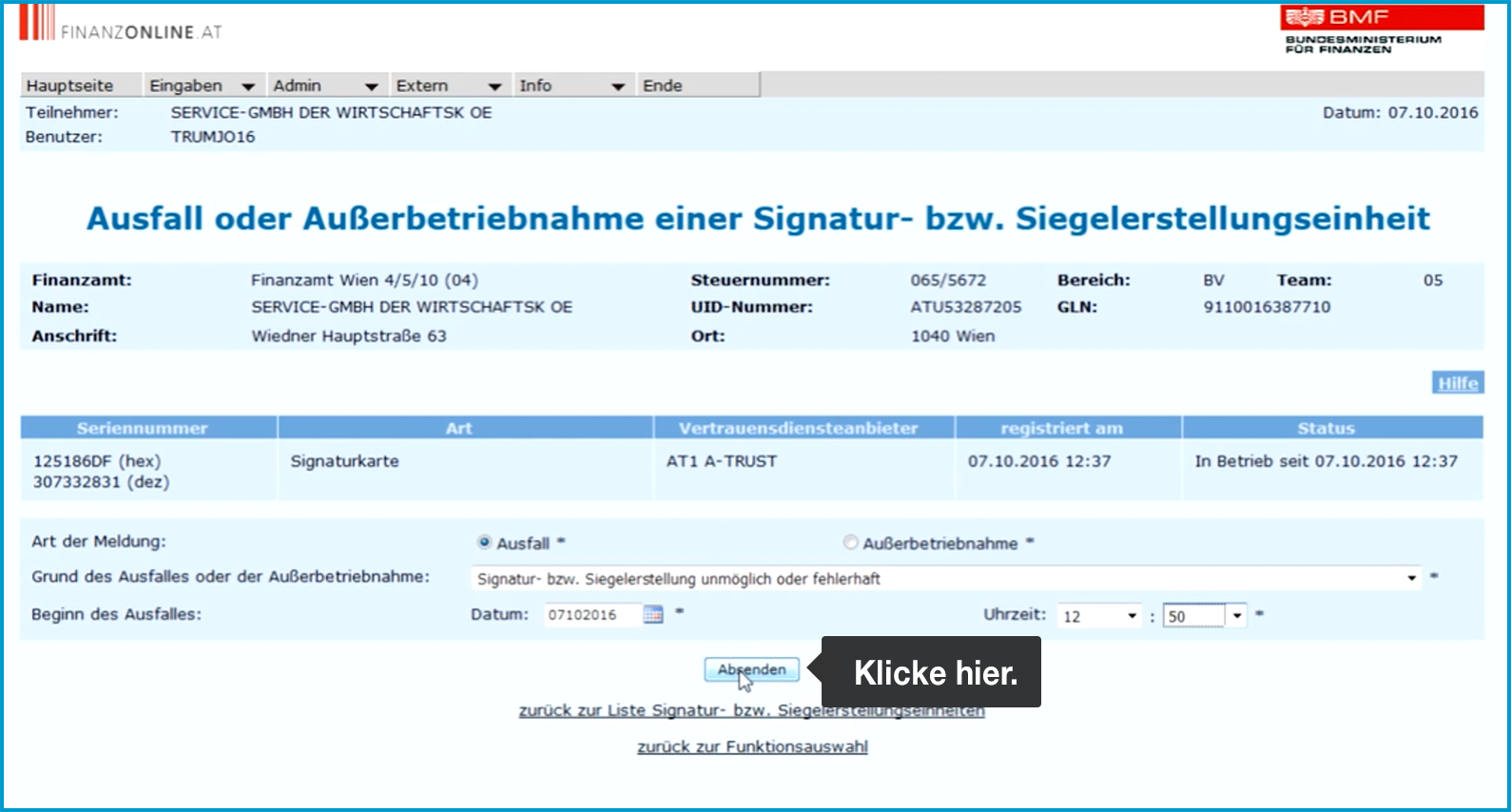
Now click "Absenden" (Submit) at the bottom.
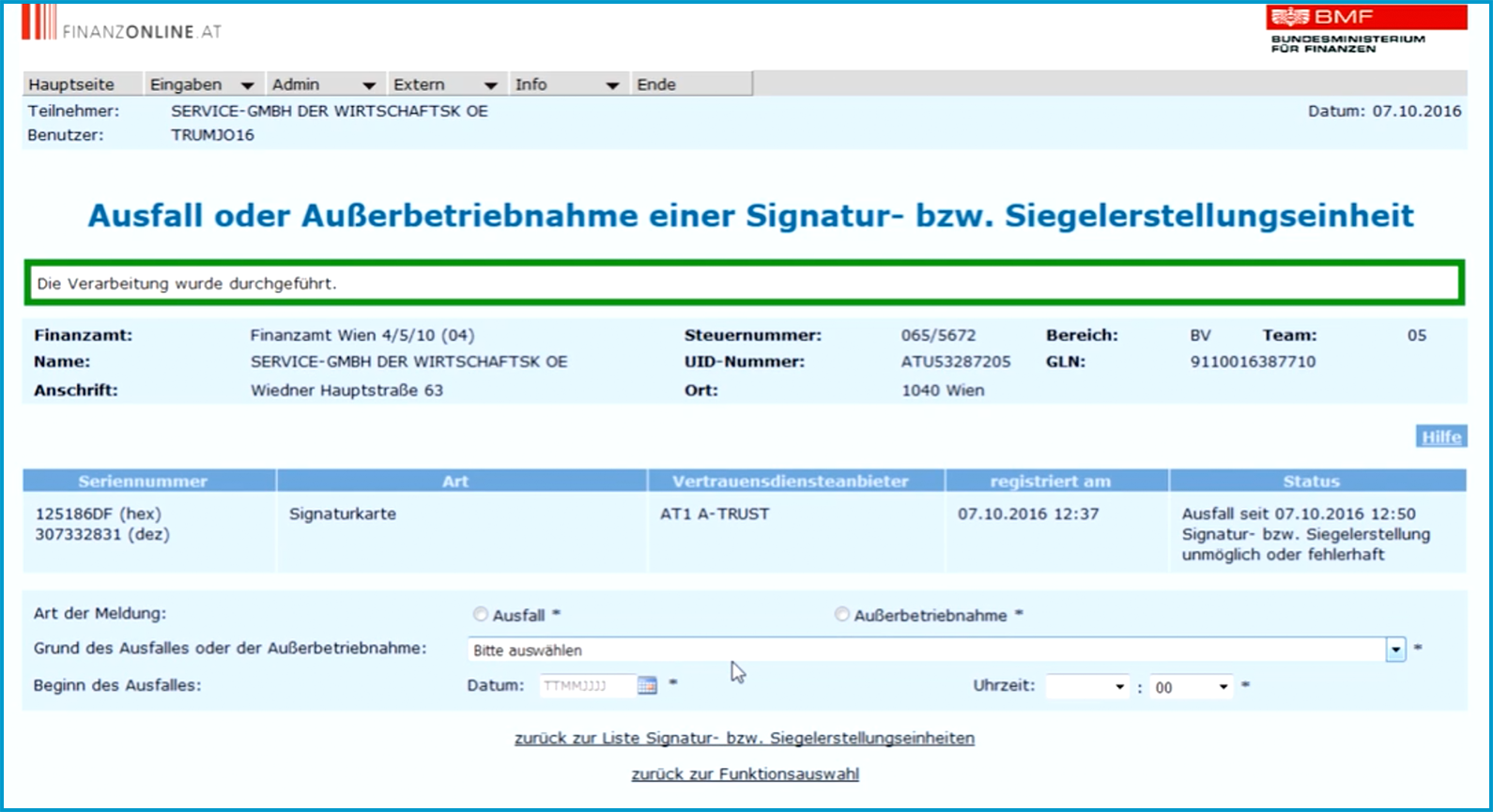
At the top of the screen, you will now see the message "Die Verarbeitung wurde durchgeführt" (Processing Completed) in a green-bordered box.
And on to the next portal …
fiskaltrust.at
Now repeat the downtime report on fiskaltrust.
- Log in to portal.fiskaltrust.at with your credentials.
- Click on "Werkzeuge" (Tools) and select > “AT FinanzOnline Meldungen” (AT FinanzOnline Reports).
- Click on small, blue-bordered checkmark behind the "Ausfall: Zertifikat" (Downtime: Certificate) field.
- Under "Status der Signaturerstellungseinheit" (Status of the Signature Creation Unit), select "Vorübergehend außer Betrieb oder ausgefallen" (Temporarily Out of Service or Down) from the list.
- Then click "Meldung abschließen" (Complete Report).
Done!
Your cash register is now registered as temporarily down. As soon as a signature (QR code) can be created again, the item "Wiederinbetriebnahme: Zertifikat" (Recommissioning: Certificate) will automatically appear in the "Meldungen" (Reports) table under the main menu item: Your Company Nam > Overview in the fiskaltrust portal.
Your next step
Please remember to submit a recommissioning report as soon as the Signaturerstellungseinheit is working again. In the next step, we’ll show you how to do that: Recommissioning Report.