Connect Your Printer(s) to the Bestellmanagement App

Table of Contents
To ensure your QR code orders can be printed, your printers must be correctly connected in orderbird PRO.
Connecting your printers
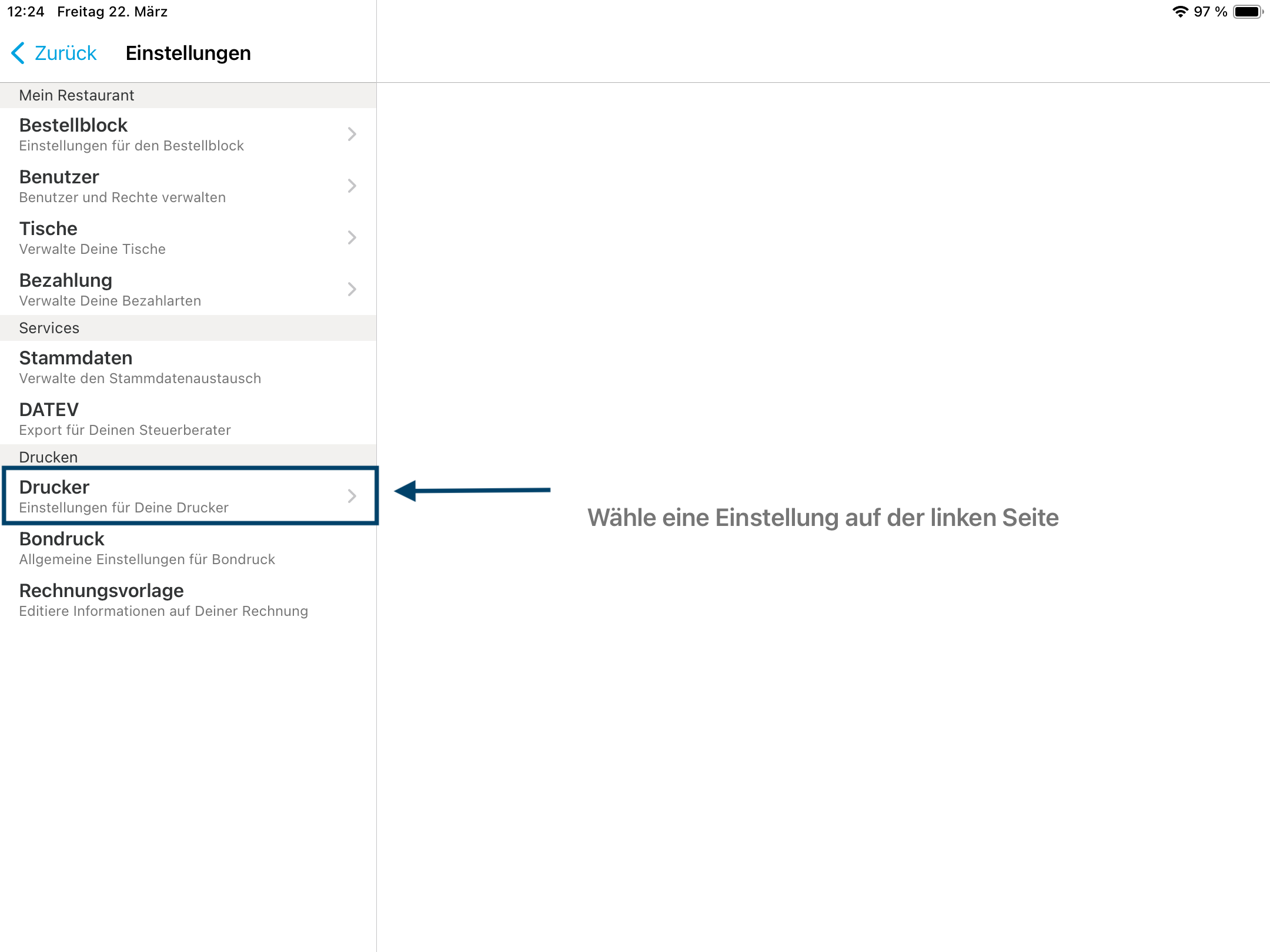
- First, open orderbird PRO and go to Settings > Printers.
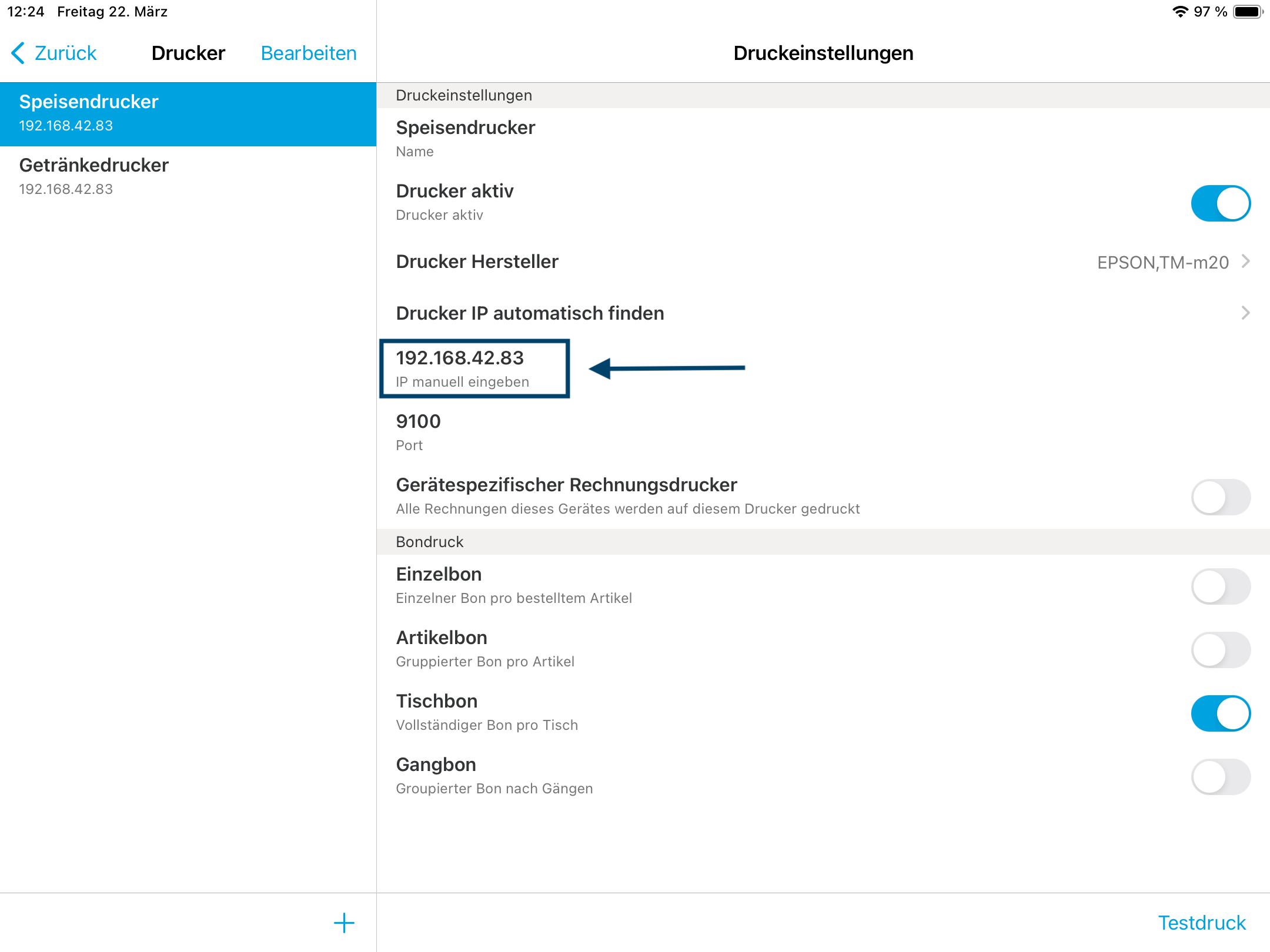
- Select the printer that should print the order receipts from your QR code ordering system. Note down the IP address of this printer on a piece of paper.
Everything connected? - Contact Support now
- Open the orderbird PRO app and tap on the question mark in the top left corner. Here you can see the Terminal ID, among other things.
- Share the Terminal ID with our support team. To do this, send an email to help@orderbird.com.